
Chords
Chord EngineChord progressions in one click. Free.
A free chord generator with a built-in piano: write progressions by character, start from over a hundred presets, or read the chords from your own MIDI, then drag them into your DAW.
Free with a Titanscore account. Your licence key waits in your account.
Walkthrough
Chords at work
A short tour: Generate, the presets and Fit, changing a chord, the grand piano, the parts A, B and C, your own chords, and the drag into your DAW.
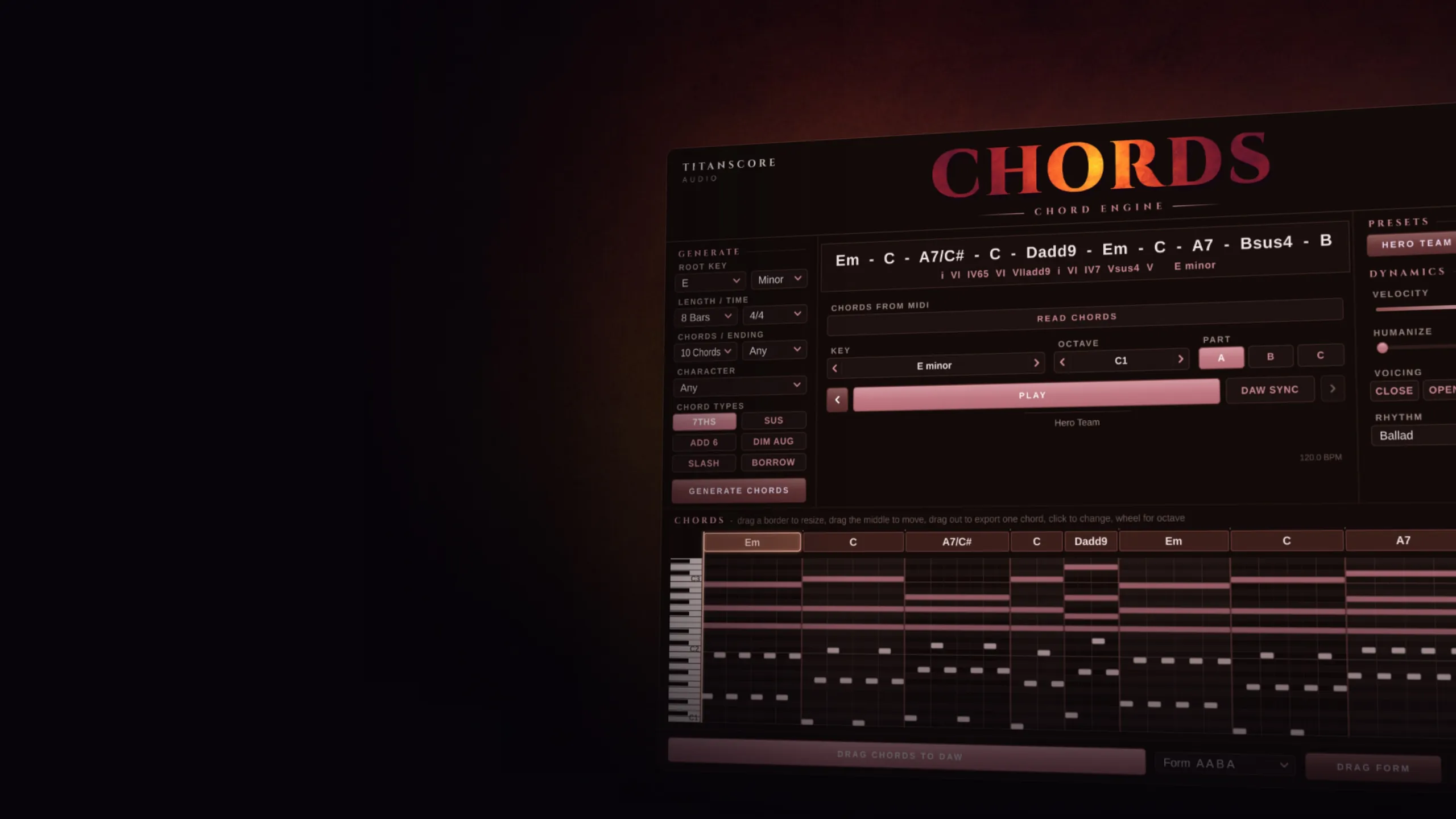
Also on YouTube.
Chords gives you the harmony first: a progression that fits, played back on a grand piano, ready to drag into your song.
Chords in short
Stuck on what comes next? Chords writes the progression for you. Pick a key, a length and a character, press Generate, and hear it at once on the built-in grand piano. Change any chord with a click, add a chorus and a bridge that fit, and drag the result straight onto a track as MIDI.
In your key
Without Borrow and Dim Aug, every chord stays in the key you chose.
Hear it first
A built-in grand piano plays every progression the moment you press Play.
Works with your DAW
Drag the chords out as MIDI, drop your own MIDI in, or read the chords while your DAW plays.
How it works
From an empty track to a progression in seconds.
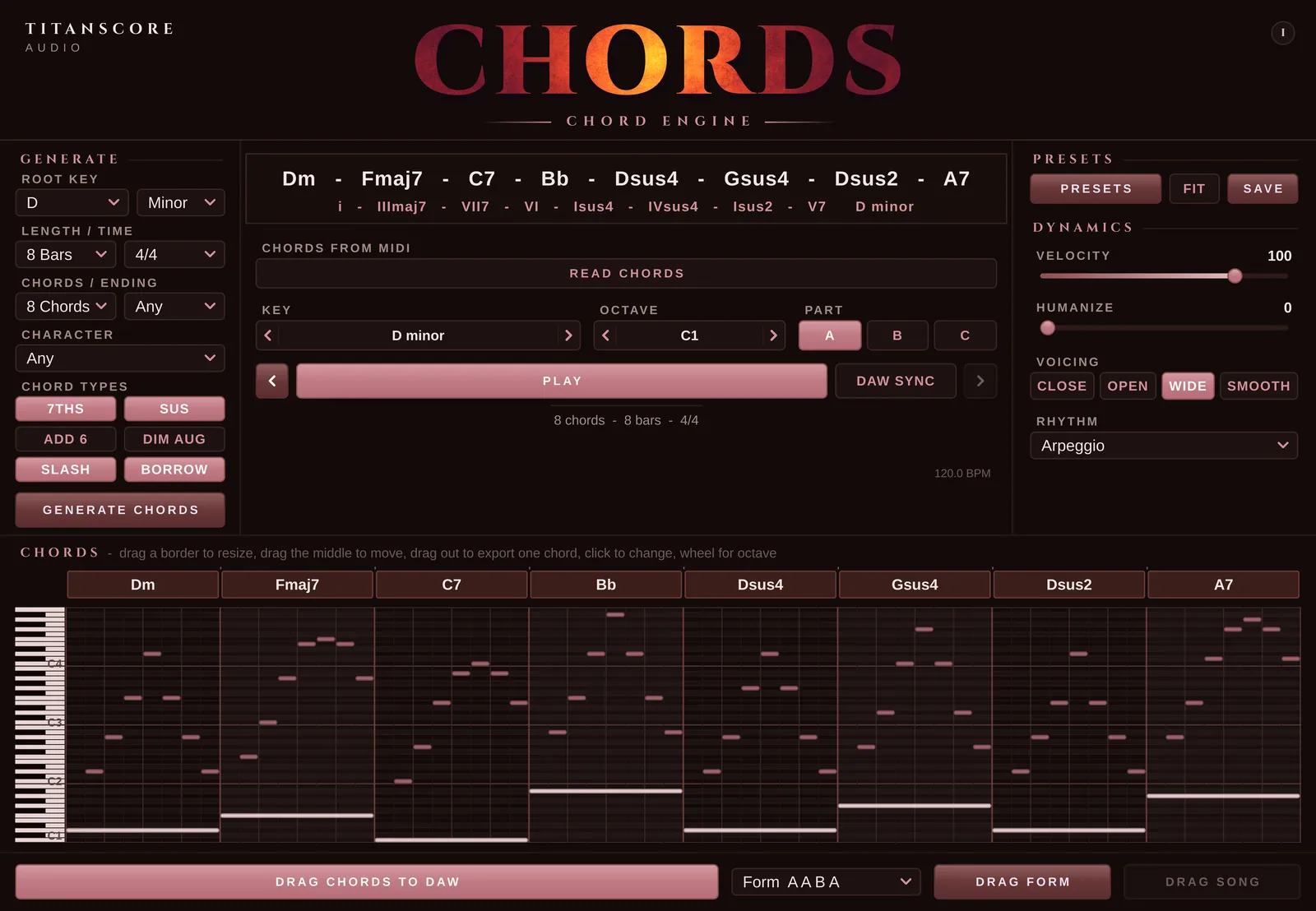
Pick a character. Press Generate.
Pick a root, major or minor, 4, 8 or 12 bars, 1 to 12 chords and a character, then press Generate. Every click writes a new progression. Lock the chords you like and only the others change.
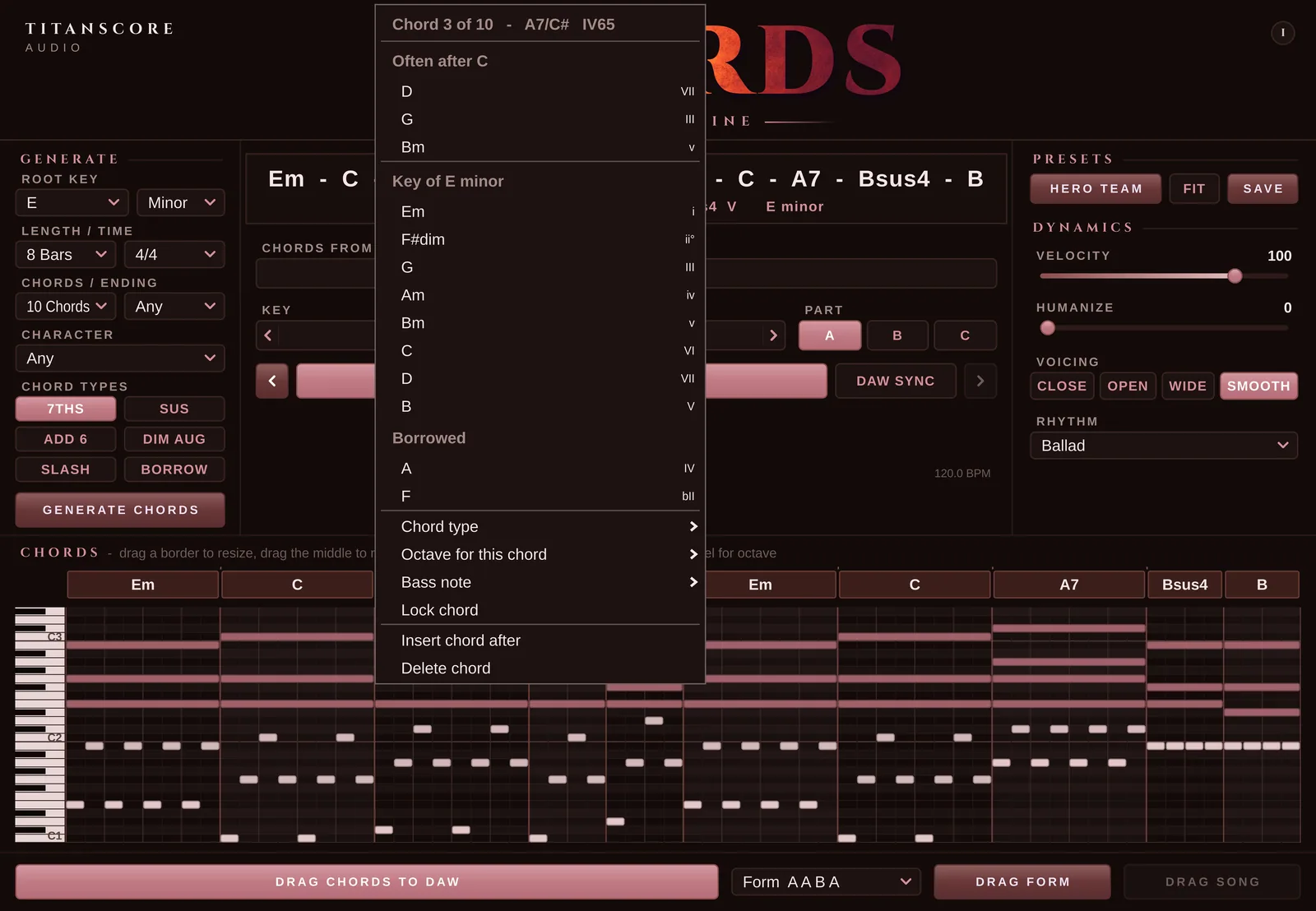
Click a chord to change it
Click any chord and Chords suggests what usually comes next, followed by every chord of the key and the borrowed ones. Change the chord type, put the third or the fifth in the bass, set its octave, lock it, insert a chord or delete one. Drag a border to make a chord longer or shorter, drag the middle to move it, or drag a single chord straight out into your DAW.
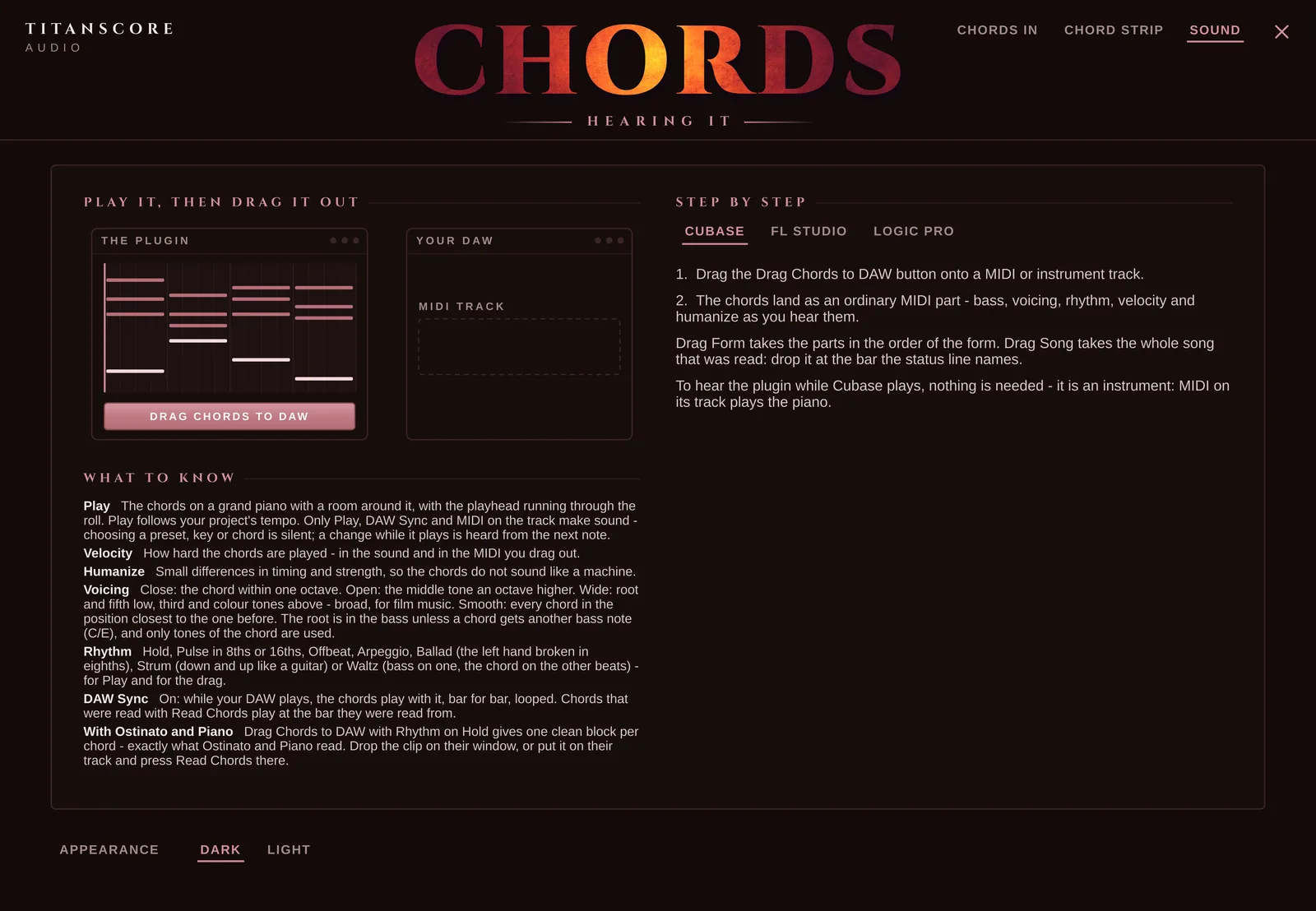
Hear it before you drag it
Press Play and the progression plays on the built-in grand piano, at your project’s tempo. Choose the voicing (Close, Open, Wide or Smooth) and the rhythm (Hold, Pulse 8ths, Pulse 16ths, Offbeat, Arpeggio, Ballad, Strum or Waltz). Velocity and humanize work while it plays. Sound only comes from Play and DAW Sync: clicking chords, presets or keys stays silent.
A verse, a chorus and a bridge
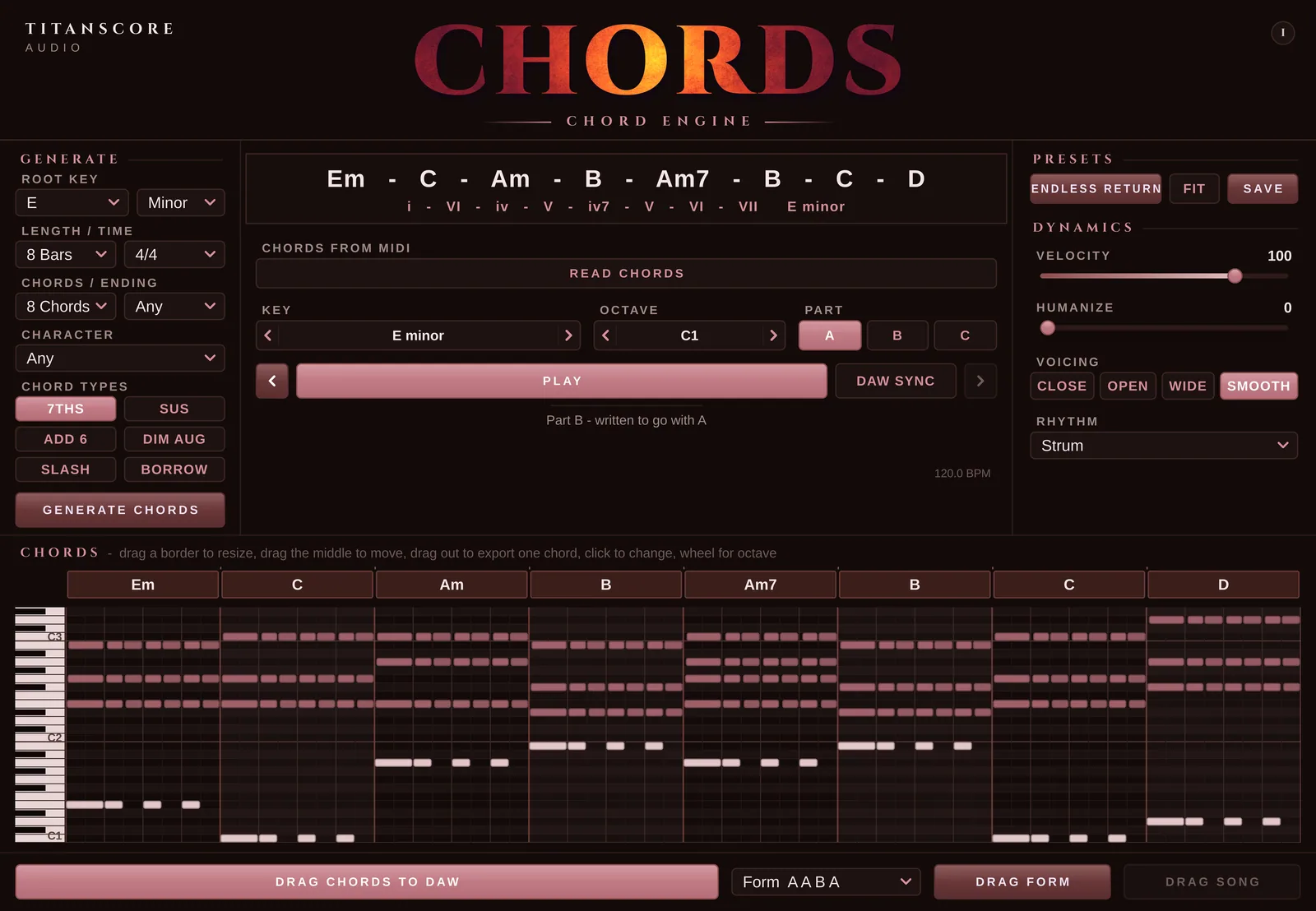
Part A is your progression. Part B writes a second part that goes with it, Part C a bridge that leads back. Form puts them in order (A B, A A B A, A B A B, A B C, A B C B or A A B C B), and Drag Form takes all the parts in that order in one drag.
Bring the chords you already have
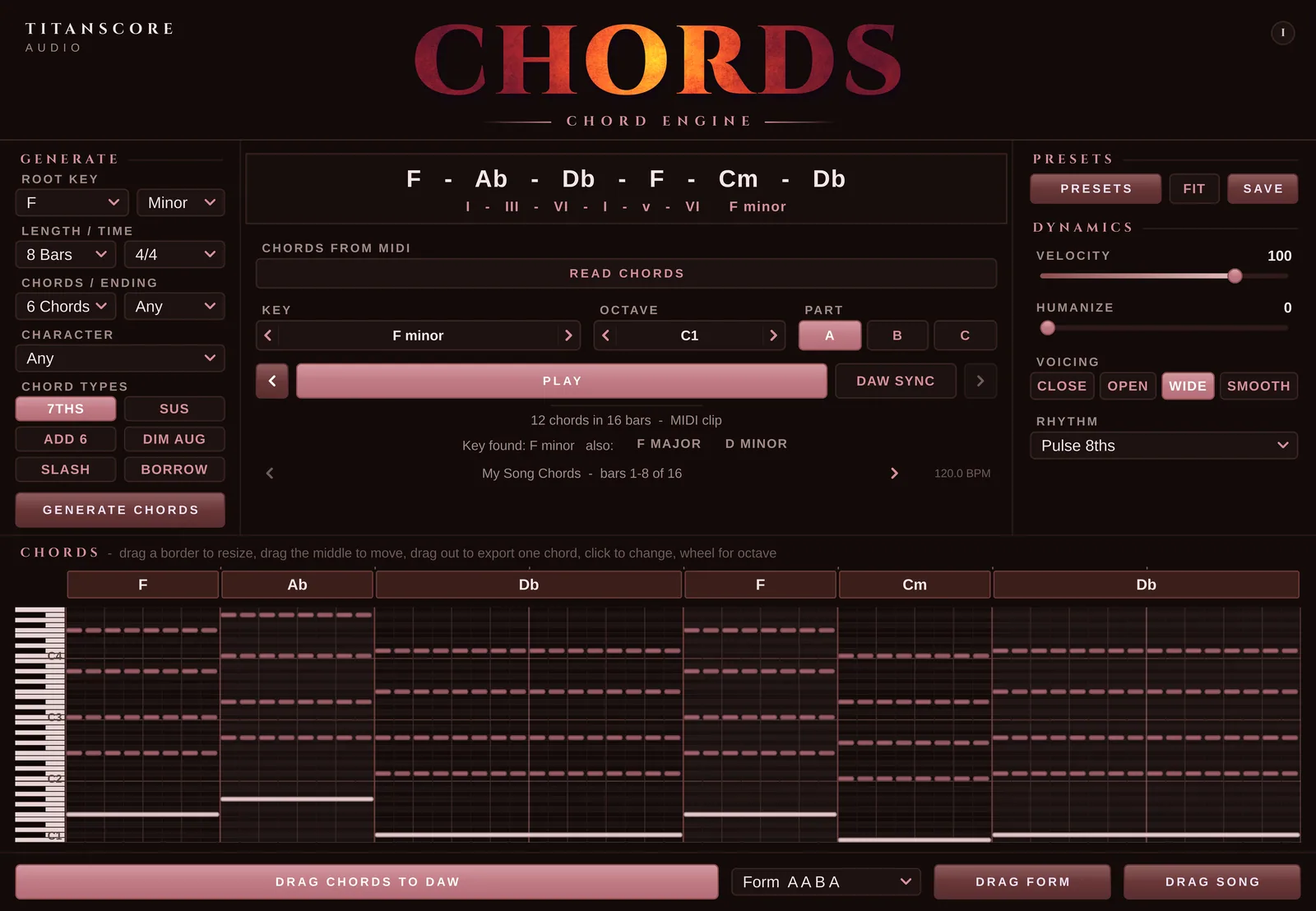
Drop a MIDI clip or a MIDI file on the window, or press Read Chords and let your DAW play. Chords reads the progression, finds the key and, where there are any, offers up to two other keys that fit the same chords. Longer songs are read in full: step through them section by section, or drag the whole song back out. Drop a melody instead of chords, and Chords offers to write chords to it.
Character
Choose a feel, press Generate, hear a new progression.
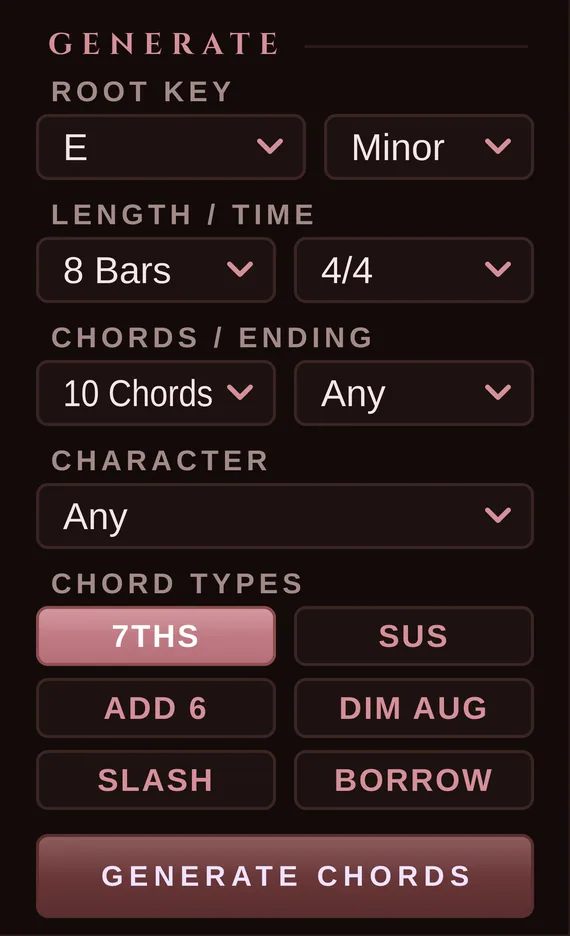
Choose how the progression should feel, add colour with the chord types, and press Generate. Every click writes a new progression. Without Borrow and Dim Aug, every chord stays in your key. With them, you get the borrowed chords and the passing chords that give film music its lift. Ending decides how it closes: as it comes, home on the tonic, or open on the dominant.
Any · Epic · Emotional · Dark · Hopeful · Pop
7ths · Sus · Add 6 · Dim Aug · Slash · Borrow
Any · Home · Open
Every chord stays in key
Leave Borrow and Dim Aug off and every chord Generate writes belongs to your key. Turn them on when you want the borrowed chords and passing chords that lift a film cue.
Presets
Over a hundred progressions to start from
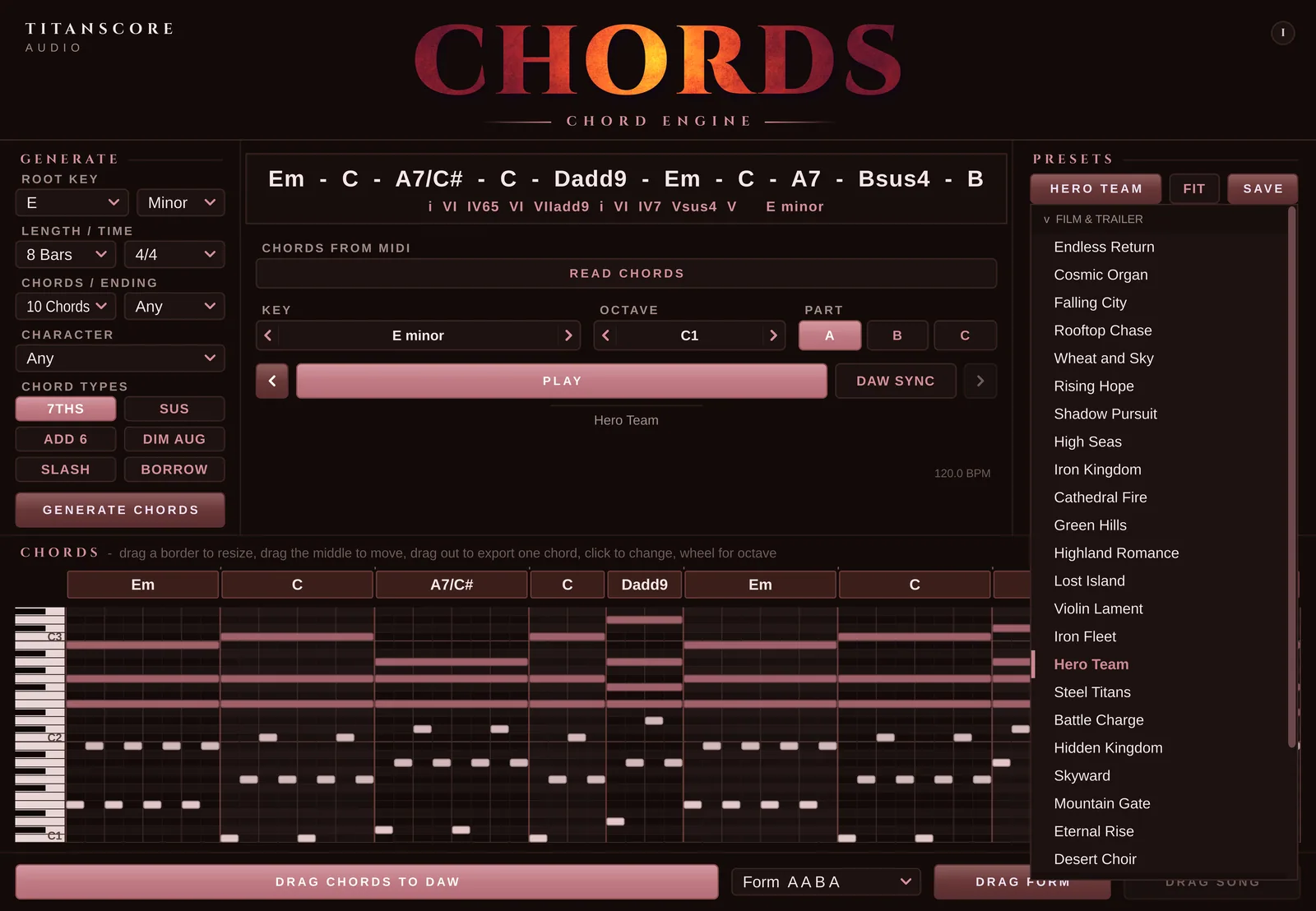
Presets in four styles, Film & Trailer, Pop & Ballad, Hip Hop & R&B and EDM & Dance, plus a folder of Basics. A preset comes as it was written, with its own key, time and length. Turn on Fit and it lands in your key and your length instead: a longer one is cut, a shorter one repeated. Save your own progressions next to them, in folders you make.
Made for: Songwriting, film and trailer cues, game music, pop, hip hop and EDM, and every session that starts with an empty track and no chords yet.
Appearance
Dark by default. Light when you want it.
Switch between the two under Appearance, behind the i button. Drag the handle to see both.
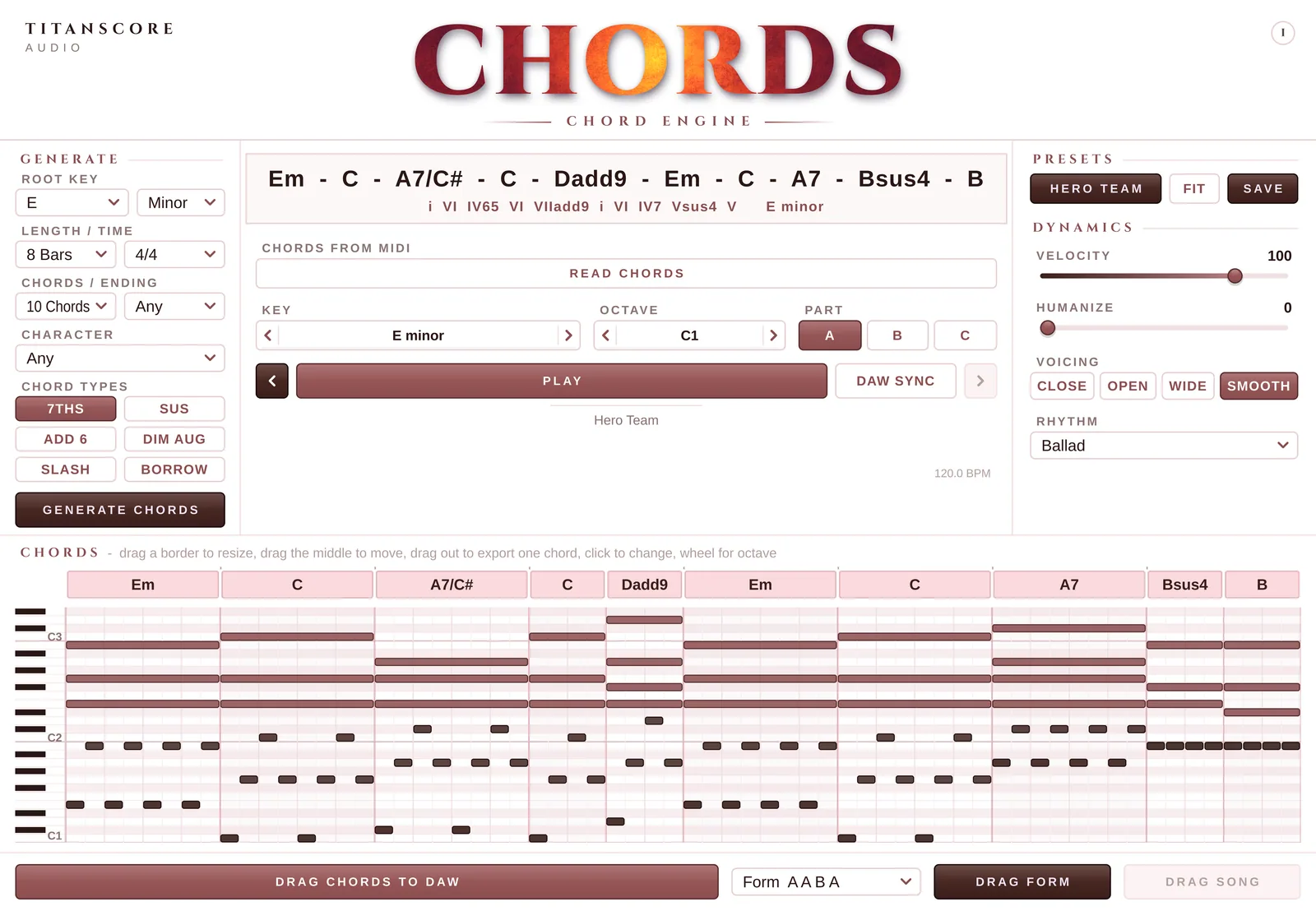
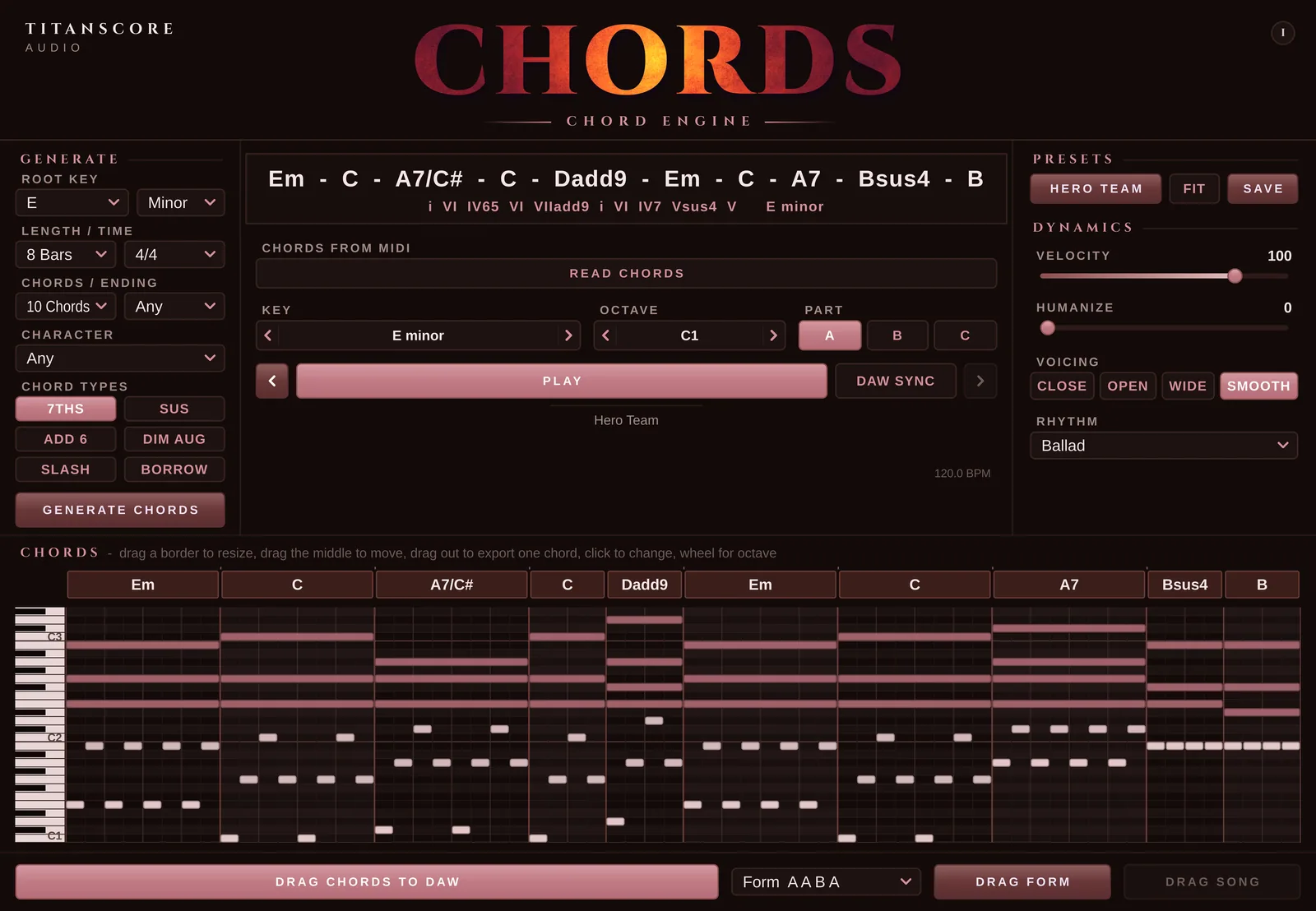
Everything in it
What Chords can do
Generate
Out of ideas? Pick a root, major or minor, 4, 8 or 12 bars, 1 to 12 chords and a character, then press Generate. Every click writes a new progression.
Chord types
Add colour with one click: 7ths, sus, add 6, a diminished passing chord, slash chords and borrowed chords. Leave them off and every chord stays in the key.
Ending
Let the progression end as it comes, home on the tonic, or open on the dominant.
Lock chords
Lock the chords you like and press Generate again. With the same key, length and number of chords, the locked ones stay and only the others change.
Suggestions
Click a chord and see what usually follows the one before it.
Change chords by hand
Chord type, bass note, octave, insert, delete, move and resize, all in the chord strip above the piano roll.
Drag a single chord
Pull one chord out of the strip and drop it on a track.
Key
Move the whole progression to another key in one step. Names and numerals follow.
Roman numerals
Every chord is shown with its numeral, so you always see where it sits in the key.
Parts A, B, C
A verse, a chorus written to go with it, and a bridge that leads back.
Form
Six forms, from A B to A A B C B. Drag Form takes the parts in that order.
Presets
Over a hundred progressions in four styles and Basics, each with a name of its own.
Fit
Any preset in your key and your length, at the press of a button.
Your own presets
Save your progressions, all three parts and the form together, under your own names and in your own folders. Rename or delete them at any time.
Read Chords
No drag and drop in your DAW? Press Read Chords, press Play in the DAW, done.
Drop MIDI
A MIDI clip or a MIDI file goes straight into the window.
Key detection
After reading, Chords names the key and offers up to two other keys that fit the same chords.
Melody to chords
Drop a melody and Chords offers to write chords to it.
Built-in grand piano
Hear every progression right away, no instrument needed.
Voicing
Close, Open, Wide, or Smooth, where each chord takes the position closest to the one before.
Rhythm
Hold, Pulse 8ths, Pulse 16ths, Offbeat, Arpeggio, Ballad, Strum, Waltz. The rhythm you hear is the rhythm you drag.
Velocity and humanize
Dialed in to the number. Click a value to type it, double-click to reset it.
Octave
Move the whole progression from C-1 to C3.
DAW Sync
While your DAW plays, the chords play with it, bar for bar, looped.
History
Back and forward arrows through every change you made.
Drag to DAW
Drag the chords, the form or a whole song you read onto a track. It is plain MIDI.
Six time signatures
2/4, 3/4, 4/4, 5/4, 6/8 and 12/8.
Dark or light
Dark by default. Light when you want it.
Built-in guide
Step-by-step guides for Cubase, FL Studio and Logic Pro, right inside the plugin.
Update notice
The plugin tells you in its window when a new version is out.
Specification
Technical details
- Formats
- VST3 (Mac and Windows), AU (Mac)
- Systems
- macOS 12 or later · Windows 10/11, 64-bit
- DAWs
- Cubase, FL Studio and Logic Pro, and any other DAW that loads VST3 or AU
- Type
- Instrument plugin. Put it on an instrument track.
- Sound
- Built-in grand piano for Play. What you drag out is MIDI for your own instruments.
- Chord types
- Major, minor, 7, maj7, m7, sus2, sus4, add9, 6, m6, dim, aug, each with root, third, fifth or seventh in the bass
- Generator
- Root, major or minor, 4, 8 or 12 bars, 1 to 12 chords, character, chord types, ending
- Character
- Any, Epic, Emotional, Dark, Hopeful, Pop
- Parts
- A, B and C, with six forms
- Presets
- 100+ in Film & Trailer, Pop & Ballad, Hip Hop & R&B, EDM & Dance and Basics, plus your own in folders
- Chords in
- Drag in a MIDI clip or file, or Read Chords while your DAW plays
- Voicing
- Close, Open, Wide, Smooth
- Rhythm
- Hold, Pulse 8ths, Pulse 16ths, Offbeat, Arpeggio, Ballad, Strum, Waltz
- Time signatures
- 2/4 · 3/4 · 4/4 · 5/4 · 6/8 · 12/8
- Tempo
- Follows your project
- Appearance
- Dark by default, Light as an option
- Installation
- Installer for Mac and Windows
- Licence
- Free. One key for 2 computers, in your Titanscore account. Activate once, then it runs offline.
- Updates
- The plugin tells you when a new version is out
- Use
- Chords and MIDI may be used in your own productions, commercial ones included
- Plugin name
- Titanscore Chords, listed under Titanscore Audio
Is it really free?
Yes. Chords costs nothing. You only need a free Titanscore account, where your licence key waits.
Why do I need an account for a free plugin?
Your key lives there, together with the computers it runs on. If you change computers, you release the old one in your account.
Does it make sound on its own?
Yes. Chords has a built-in grand piano, so you hear every progression the moment you press Play. What you drag into your DAW is MIDI, for any instrument you like.
Which DAWs does it work in?
Cubase, FL Studio and Logic Pro, and any other DAW that loads VST3 or AU. The built-in guide shows the steps for all three.
My DAW can’t drag MIDI into a plugin.
Use Read Chords: press it, play your chords in the DAW, and they appear in the plugin.
Will every chord be in key?
Yes, as long as Borrow and Dim Aug are off. Those two add chords from outside the key on purpose, for that film-music lift.
Can I use the chords in commercial work?
Yes. Everything you create with it is yours to release.
On how many computers can I use it?
Two. You can release a computer in your account at any time.
Do I need to be online?
Only once, to activate.
Titanscore Audio
Chords
Chord Engine
Chord progressions in one click. Free.
- DeliveryKey in your account and by email
- FormatVST3 · AU
- SystemsmacOS 12+ · Windows 10/11
- Licence2 computers, offline after activation