
Epochs
Cinematic Transition EngineOne sound in. A whole trailer transition out.
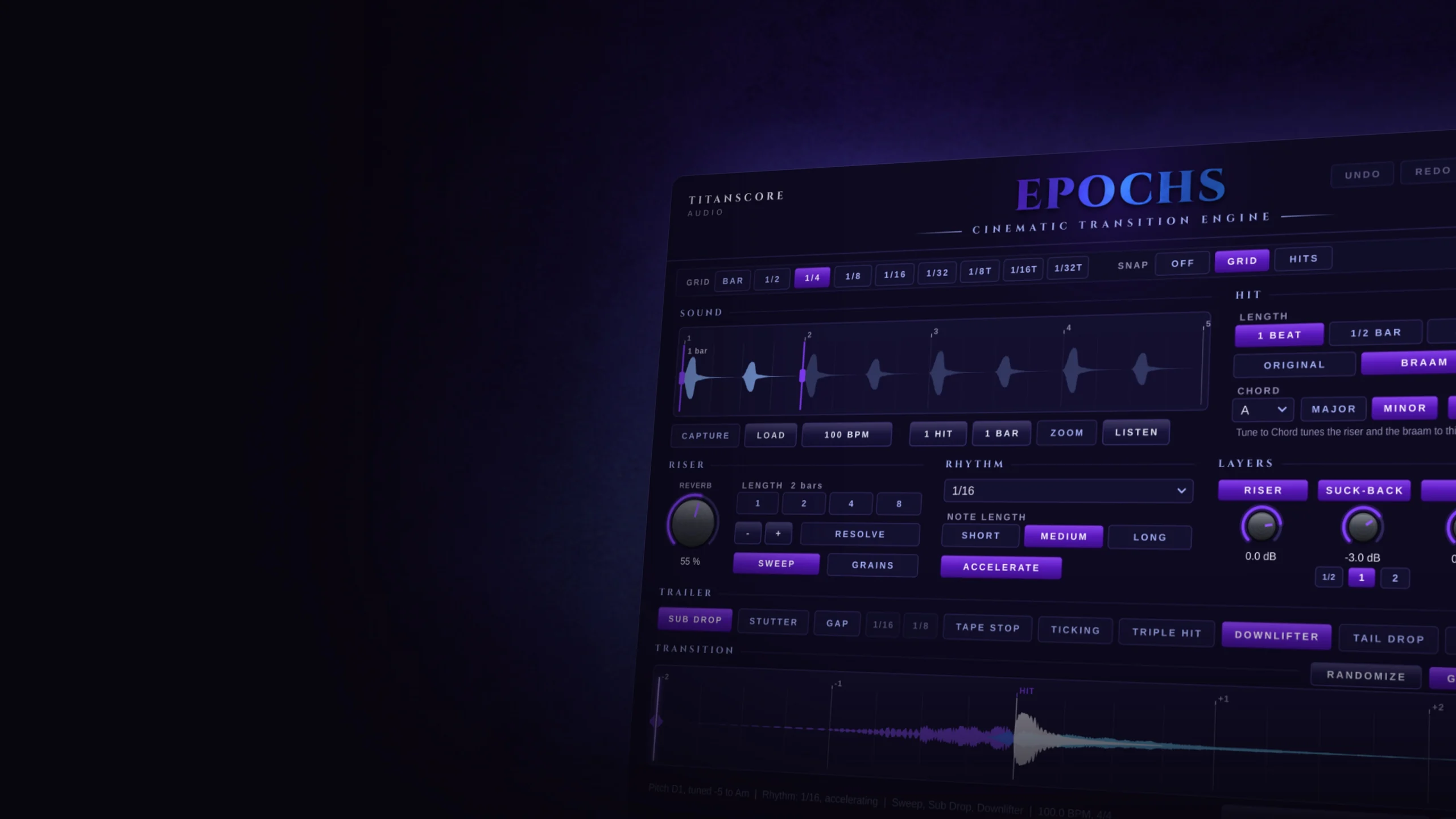
Turn a single sound into a cinematic transition: riser, suck-back, hit and tail, with the hit landing exactly on the bar line, ready to drag into your DAW.
Free with Ostinato or Piano. Already have one of them? Your Epochs key is in your account.
Walkthrough
Epochs from one sound to a finished transition
Epochs at work, step by step: from the sound you bring to the finished transition in your DAW.
Also on YouTube.
Epochs takes a sound you already like and turns it into the moment your cue has been building towards.
Epochs in short
Drop a hit, a braam, a choir chord or a drum into Epochs and it builds the transition around it: a riser that swells out of your own sound, the suck-back that pulls into the hit, the hit itself and the tail that rings on after it. Shape the riser, the rhythm and the chord, add trailer tools like Sub Drop, Stutter or Tape Stop, and drag the result onto an audio track. The hit sits exactly on the bar line.
On the bar
The hit lands exactly on the bar line, in the tempo of your project.
Your own sound
The riser, the suck-back and the tail are all made from the sound you bring.
Straight into your DAW
Drag the transition onto an audio track as one file, or the layers as stems.
How it works
From one sound to a finished transition in seconds.
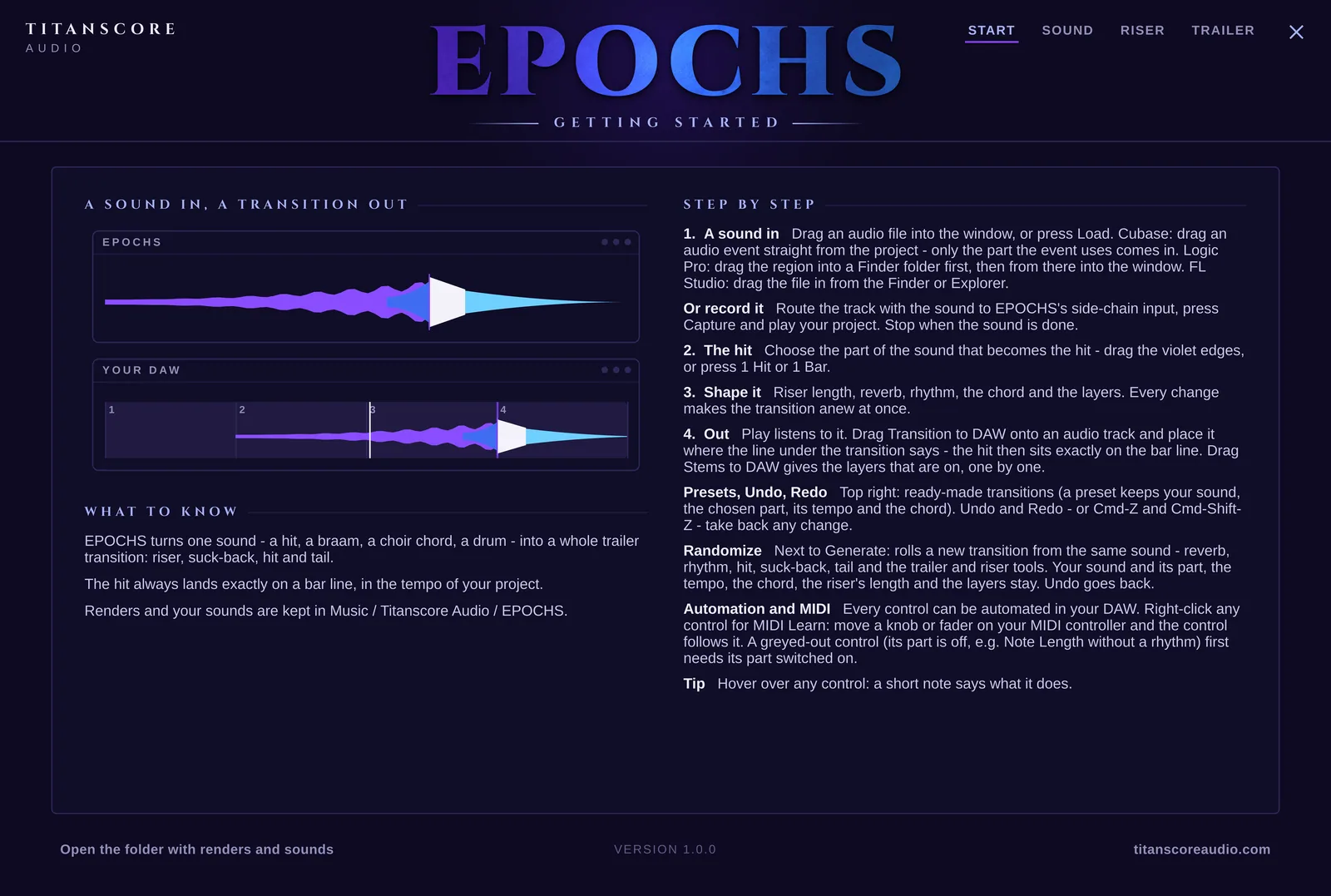
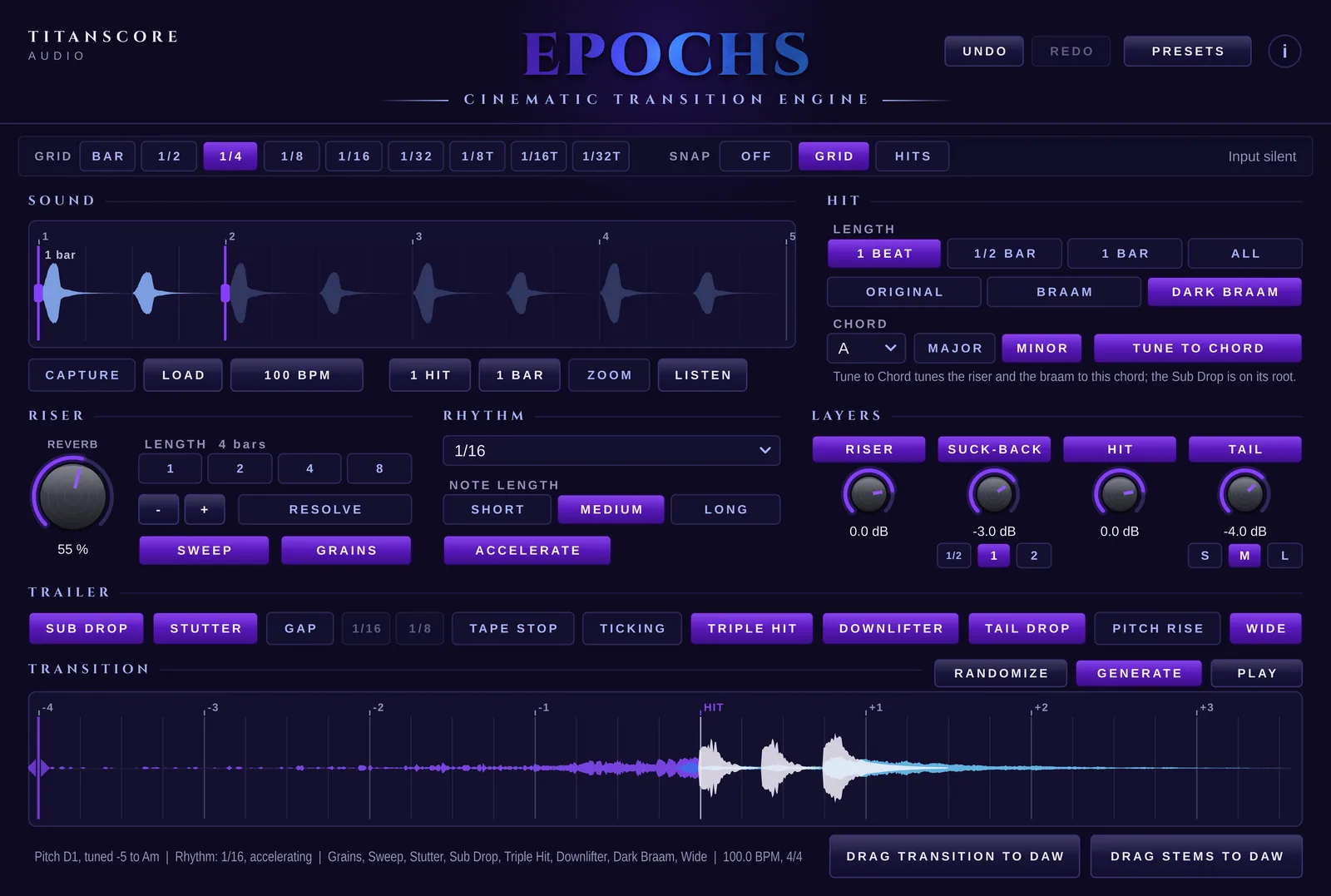
Bring in a sound
Drag an audio file into the window, or press Load. In Cubase, an audio event goes straight from your project into the window, and only the part of it you use comes in. Or record the sound with Capture through the side-chain input while your project plays.
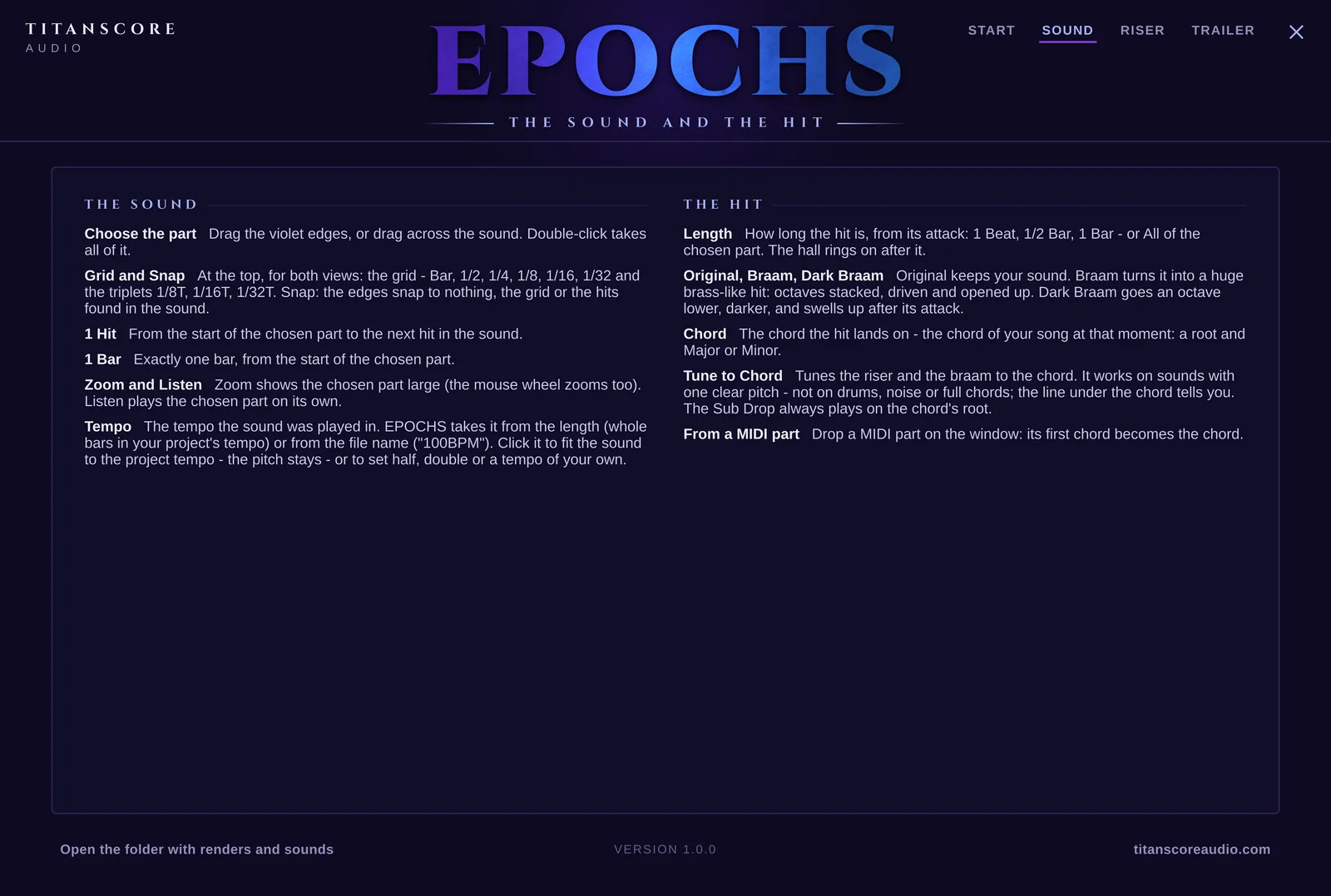
Choose the hit
Drag the violet edges to pick the part that becomes the hit, or press 1 Hit or 1 Bar. Keep it as it is, or make it a Braam or a Dark Braam, and set the chord the hit lands on. Tune to Chord tunes the riser and the braam to it.
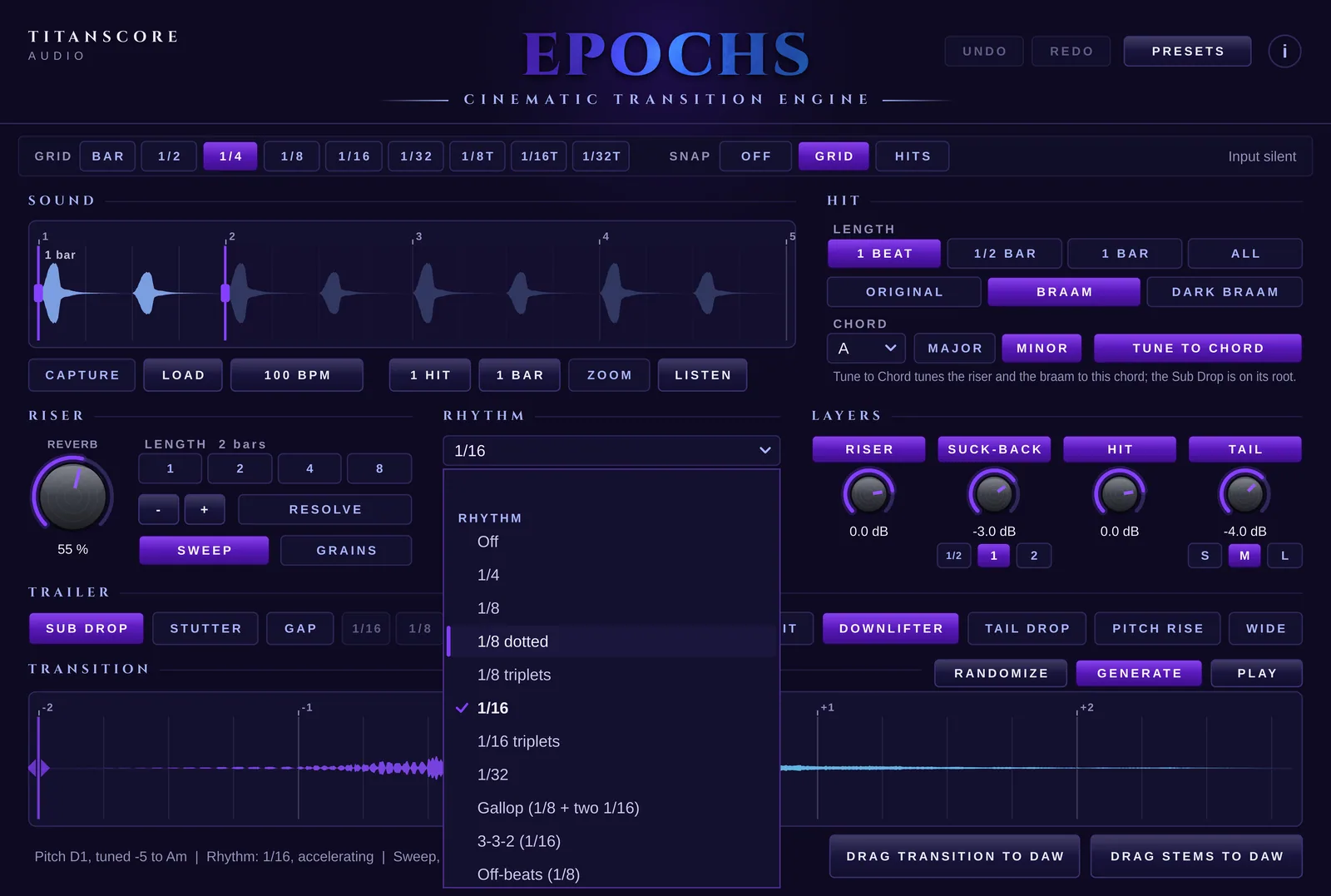
Shape the riser
Choose a length of 1, 2, 4 or 8 bars, or move its start a grid step at a time, and a reverb from a tight room to a huge hall. Cut the riser into a rhythm, from quarter notes to a gallop, and let Accelerate speed it up towards the hit. Sweep opens a filter over its whole length, Grains lets a cloud of your own sound swell underneath.
Add the trailer tools
Sub Drop, Stutter, Gap, Tape Stop, Ticking, Triple Hit, Downlifter, Tail Drop, Pitch Rise and Wide, each one a click away. Everything is counted from the bar line of the hit, so it always sits on your grid.
Drag it into your DAW
Press Play to hear it. Then drag the transition onto an audio track and place it where the line under the transition says: the hit lands exactly on the bar. Or drag the layers out as stems, all the same length, ready to mix.
Inside the plugin
Shape it
Your sound, turned into a moment.
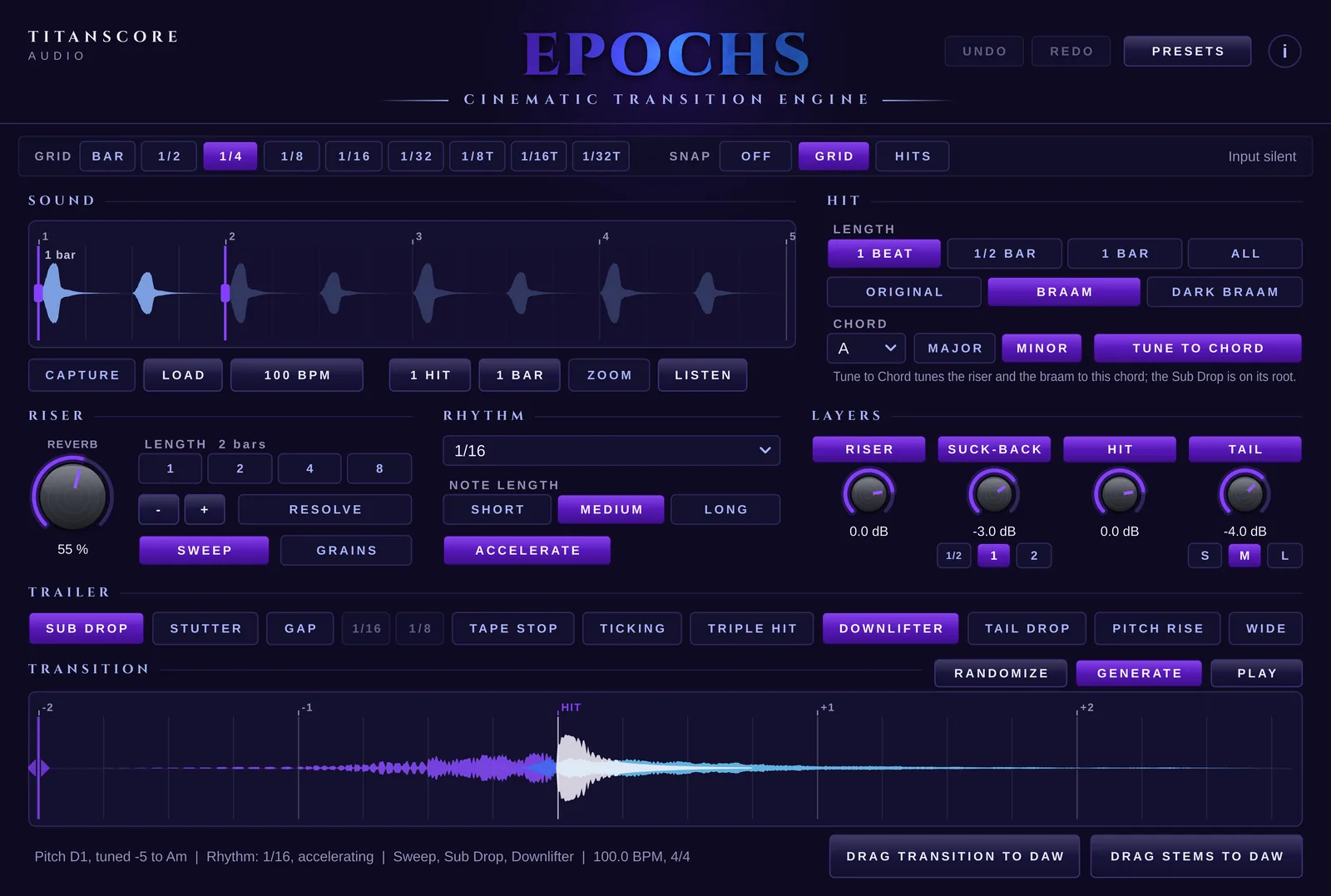
The hit can stay your own sound, or become a huge braam: octaves stacked, driven and opened up, or a darker one an octave lower. The riser follows a rhythm in time with your song, and the four layers each have a switch and a level of their own.
Original · Braam · Dark Braam
1 Beat · 1/2 Bar · 1 Bar · All
1/4 · 1/8 dotted · 1/8 · 1/8 triplets · 1/16 · 1/16 triplets · 1/32 · Gallop · 3-3-2 · Off-beats
Riser · Suck-back · Hit · Tail

Four layers, one transition
Riser, suck-back, hit and tail, each one on or off with its own level. The suck-back pulls into the hit over half a beat, one beat or two, the tail rings for a bar, two or until the hall has died away.

Ten trailer tools, each one a switch. Several at once are fine: the hit stays on the bar and the transition never goes above -1 dBFS.
Presets
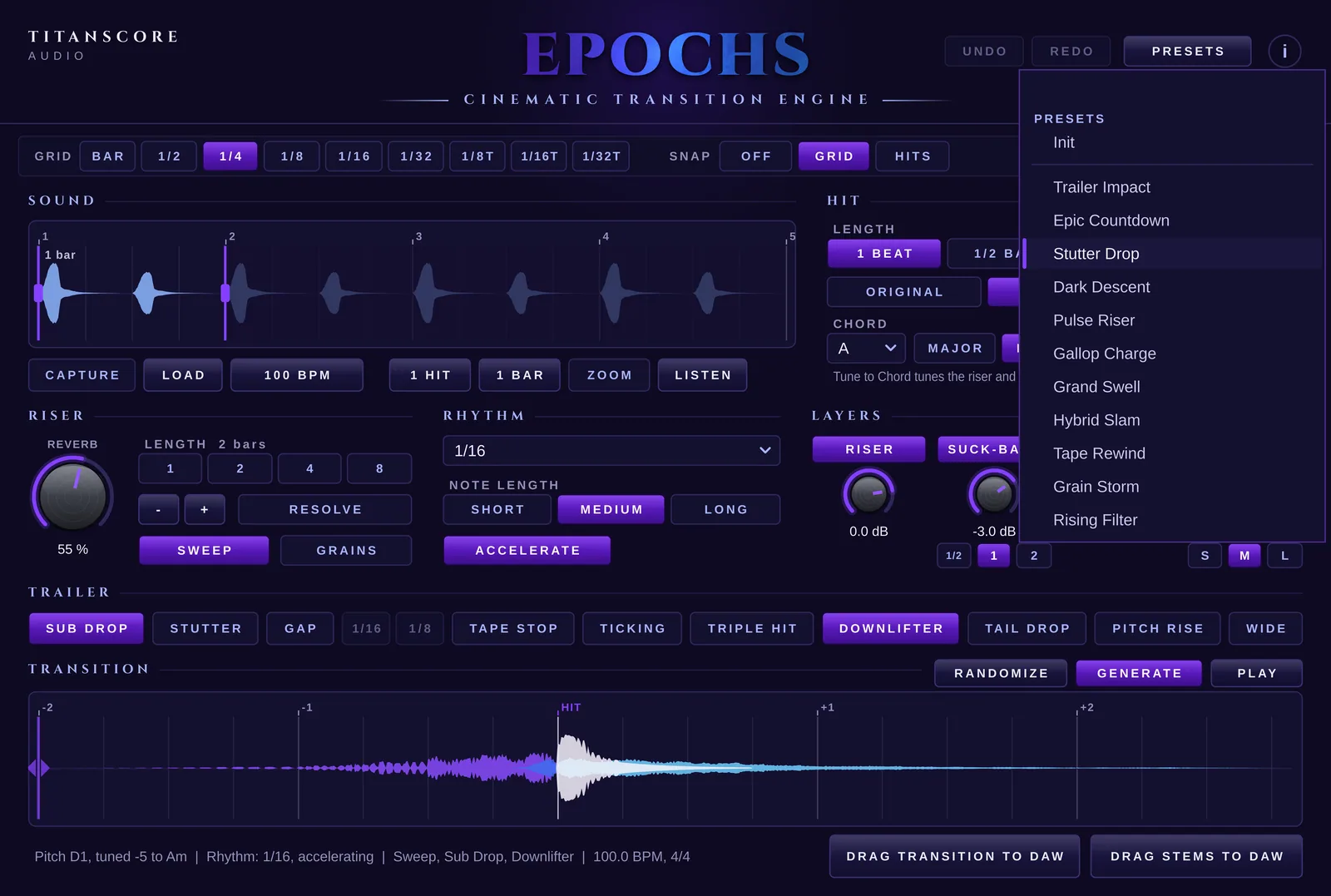
Eleven transitions to start from
Trailer Impact, Epic Countdown, Stutter Drop, Grand Swell and more. A preset sets how the transition is made, from the riser to the trailer tools, and never touches your sound, the part you chose, its tempo or the chord. Looking for something new? Randomize rolls a fresh transition from the same sound, and Undo takes it back.
Made for: Trailer cues, scene changes, builds and drops, game music, and every place where the music needs to arrive somewhere.
Built-in guide
Every control explained, right in the plugin
Press the i at the top right and four pages open: Start, Sound, Riser and Trailer.
Start
A sound in, a transition out, step by step.
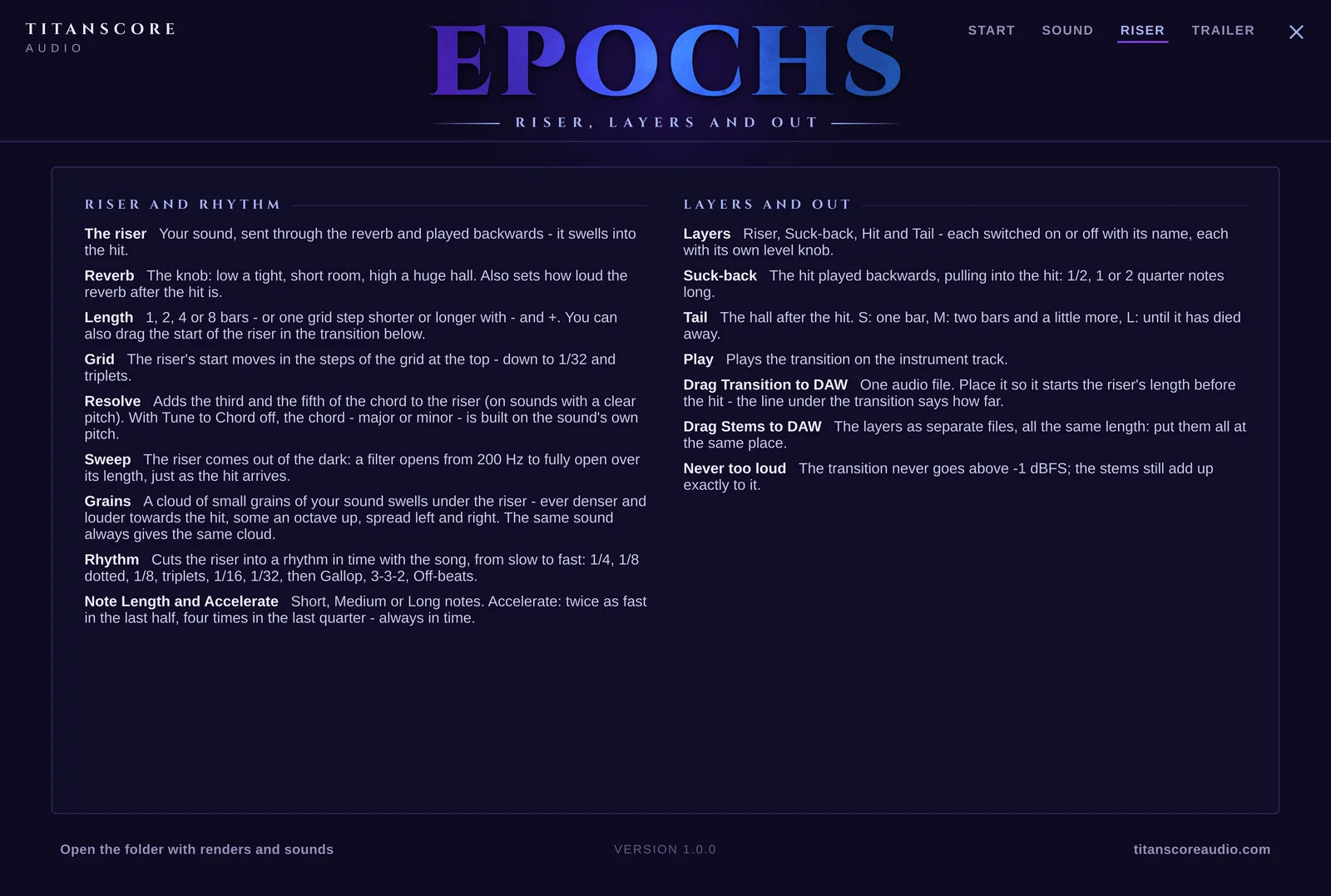
Riser
The riser, the rhythm, the layers and the drag into your DAW.
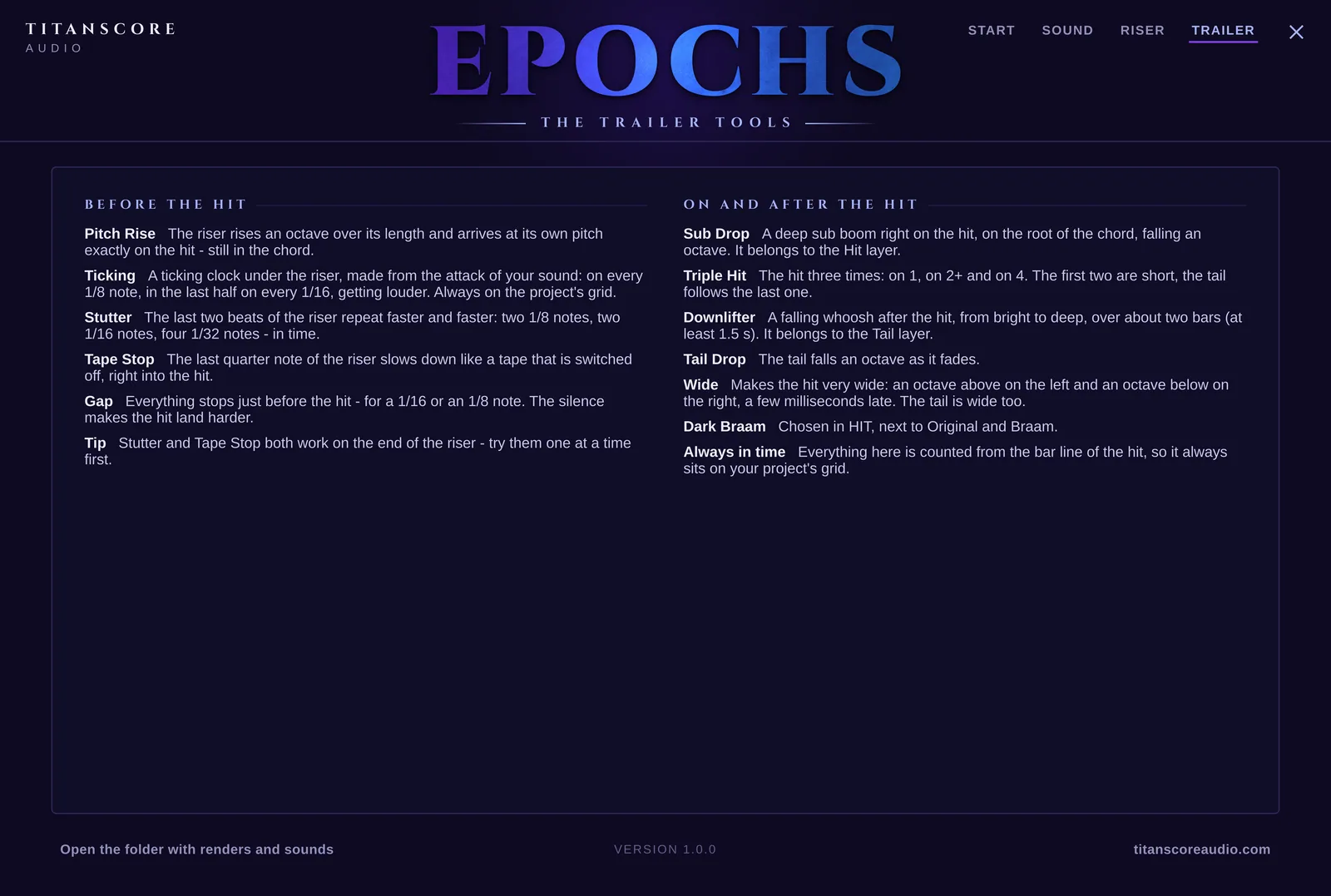
Trailer
Every trailer tool, before the hit and after it.
Everything in it
Everything in it
What Epochs can do
Your own sound
A hit, a braam, a choir chord, a drum: the transition is made from the sound you bring.
Drag and drop
Drag an audio file into the window. In Cubase, an audio event goes straight from your project into Epochs.
Capture
Send a track to the side-chain input, press Capture, play your project, and the sound is in.
Choose the part
Drag the edges, or press 1 Hit or 1 Bar. Zoom and Listen show and play the part on its own.
Tempo
Epochs reads the tempo of the sound and can fit it to your project. The pitch stays.
On the bar
The hit always lands exactly on the bar line, in the tempo of your project.
Braam and Dark Braam
Turn the hit into a huge brass-like braam, or a darker one an octave lower that swells after the attack.
Tune to Chord
Riser and braam follow the chord of your song. Drop a MIDI part on the window and its first chord is set.
Riser length
1, 2, 4 or 8 bars, or a grid step longer or shorter. Drag its start right in the transition.
Reverb
One knob, from a tight room to a huge hall.
Resolve
Adds the third and the fifth of the chord to the riser.
Sweep
The riser comes out of the dark: a filter opens over its whole length.
Grains
A cloud of small grains of your sound swells under the riser, denser and louder towards the hit.
Rhythm
Ten rhythms from quarter notes to Gallop, 3-3-2 and Off-beats, with three note lengths and Accelerate.
Four layers
Riser, Suck-back, Hit and Tail, each on or off with its own level.
Trailer tools
Sub Drop, Stutter, Gap, Tape Stop, Ticking, Triple Hit, Downlifter, Tail Drop, Pitch Rise and Wide.
Presets
Eleven ready-made transitions that keep your sound, its part, its tempo and the chord.
Randomize
A new transition from the same sound, with one click. Undo takes it back.
Undo and Redo
Every change can be taken back, with the buttons or the usual keyboard shortcuts.
Automation and MIDI Learn
Every control can be automated in your DAW or moved with a knob on your MIDI controller.
Drag to DAW
The whole transition as one audio file, or the layers as stems, all the same length.
Never too loud
The transition never goes above -1 dBFS, and the stems still add up to it exactly.
Grid and Snap
Bar down to 1/32, with triplets. Snap to the grid or to the hits found in the sound.
Built-in guide
Four pages inside the plugin explain every control, and how the sound gets in from Cubase, FL Studio and Logic Pro.
Specification
Technical details
- Formats
- VST3 (Mac and Windows), AU (Mac)
- Systems
- macOS 12 or later · Windows 10/11, 64-bit
- DAWs
- Cubase, FL Studio and Logic Pro, and any other DAW that loads VST3 or AU
- Type
- Instrument plugin. Put it on an instrument track.
- Sound in
- WAV, AIFF or FLAC by drag and drop or Load, an audio event from your project, or Capture through the side-chain input
- Hit
- 1 Beat, 1/2 Bar, 1 Bar or All · Original, Braam or Dark Braam · chord root, major or minor, Tune to Chord
- Riser
- 1, 2, 4 or 8 bars or in grid steps · reverb from a short room to a large hall · Resolve, Sweep, Grains
- Rhythm
- 1/4, 1/8 dotted, 1/8, 1/8 triplets, 1/16, 1/16 triplets, 1/32, Gallop, 3-3-2, Off-beats · Short, Medium or Long notes · Accelerate
- Layers
- Riser, Suck-back (1/2, 1 or 2 beats), Hit, Tail (S, M or L), each with its own level
- Trailer tools
- Sub Drop, Stutter, Gap (1/16 or 1/8), Tape Stop, Ticking, Triple Hit, Downlifter, Tail Drop, Pitch Rise, Wide
- Grid
- Bar, 1/2, 1/4, 1/8, 1/16, 1/32, 1/8T, 1/16T, 1/32T · Snap Off, Grid or Hits
- Out
- Drag Transition to DAW (one audio file) or Drag Stems to DAW (the layers, all the same length), never above -1 dBFS
- Tempo
- Follows your project
- Presets
- 11 ready-made transitions, Randomize, Undo and Redo
- Control
- Every control can be automated, with MIDI Learn
- Installation
- Installer for Mac and Windows
- Licence
- One key for 2 computers. Activate once with your email and key, then it runs offline.
- Free trial
- 14 days on one computer, with a trial key from your Titanscore account
- Use
- Transitions made with Epochs may be used in your own productions, commercial ones included
- Plugin name
- Titanscore Epochs, listed under Titanscore Audio
Is Epochs free with Ostinato or Piano?
Yes. Everyone who owns Ostinato or Piano finds an Epochs key in their account at no extra cost. Buy one of them and the Epochs key comes in the same mail as the others.
Can I try it first?
Yes, for 14 days. Press Try free for 14 days, sign in or create a free Titanscore account, and the trial key comes by email. It runs on one computer, and everything works during the trial.
What happens when the trial ends?
Epochs locks until you sign in with a bought key, or with the free key that comes with Ostinato or Piano. Your projects and settings stay as they are.
Which sounds work best?
A sound with a clear attack: a hit, a braam, a choir chord, a drum. Tune to Chord needs a sound with one clear pitch; on drums, noise or full chords Epochs tells you so under the chord.
Does the hit really land on the bar?
Yes. Drag the transition onto an audio track and place it where the line under the transition says. The hit sits exactly on the bar line.
Does it make sound on its own?
Yes. Epochs plays the transition through its instrument track when you press Play. What you drag into your DAW is audio, as one file or as stems.
Which DAWs does it work in?
Cubase, FL Studio and Logic Pro, and any other DAW that loads VST3 or AU. The built-in guide shows how the sound gets in for all three.
Can I use the transitions in commercial work?
Yes. Everything you make with it is yours to release.
On how many computers can I use it?
Two. You can release a computer in your account at any time. A trial key runs on one.
Do I need to be online?
Only once, to activate.
Can I return it?
No. The licence key is issued the moment you pay, so all sales are final, as is usual for downloadable software. That is what the 14-day trial is for.
Titanscore Audio
Epochs
Cinematic Transition Engine
One sound in. A whole trailer transition out.
- DeliveryKey by email, right after checkout
- FormatVST3 · AU
- SystemsmacOS 12+ · Windows 10/11
- Licence2 computers, offline after activation
- Free trial14 days, one computer
- Free withOstinato or Piano