
Lumivox
Vocal Chop InstrumentAny sound in. Chops on your keys. Free.
A free vocal chop instrument: drop in a vocal, a piano part or any other sound, and Lumivox cuts it into chops you play on your keyboard, through filter, delay, reverb and more.
Free with a Titanscore account. Your licence key waits in your account.
Walkthrough
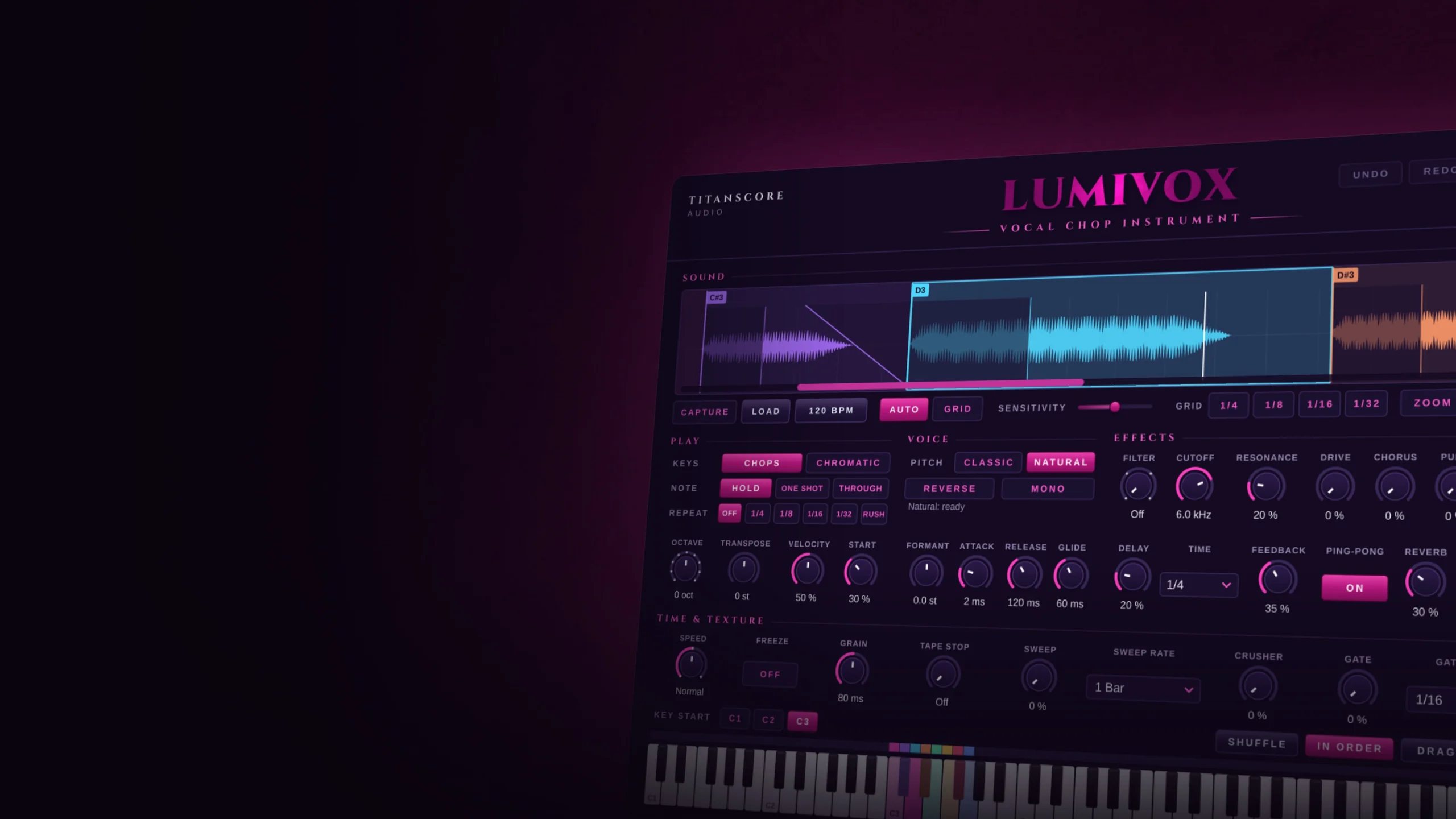
Lumivox at work
A short tour: a sound in, the chops on your keys, your own cuts, Chromatic, Repeat and Rush, the effects, and Drag MIDI onto your track.
Also on YouTube.
Lumivox turns one vocal into an instrument: every syllable on a key of its own, ready to play.
Lumivox in short
Drop a vocal into Lumivox, or a piano part, a synth line, anything with a voice of its own. It cuts the sound where the syllables and notes begin and lays the chops on your keys, from C3 up. Play them like an instrument, let them stutter in time, freeze one into a soft pad, and send it all through filter, drive, chorus, pump, delay and reverb. When the rhythm is right, drag it into your DAW as MIDI.
Any sound
A vocal, a piano part or a loop, cut where every syllable and note begins.
Chops on your keys
Every chop on a key of its own, or one chop over the whole keyboard.
Straight into your DAW
Play it like any instrument, or drag the rhythm of the sound onto your track as MIDI.
How it works
From one sound to a playable instrument in seconds.
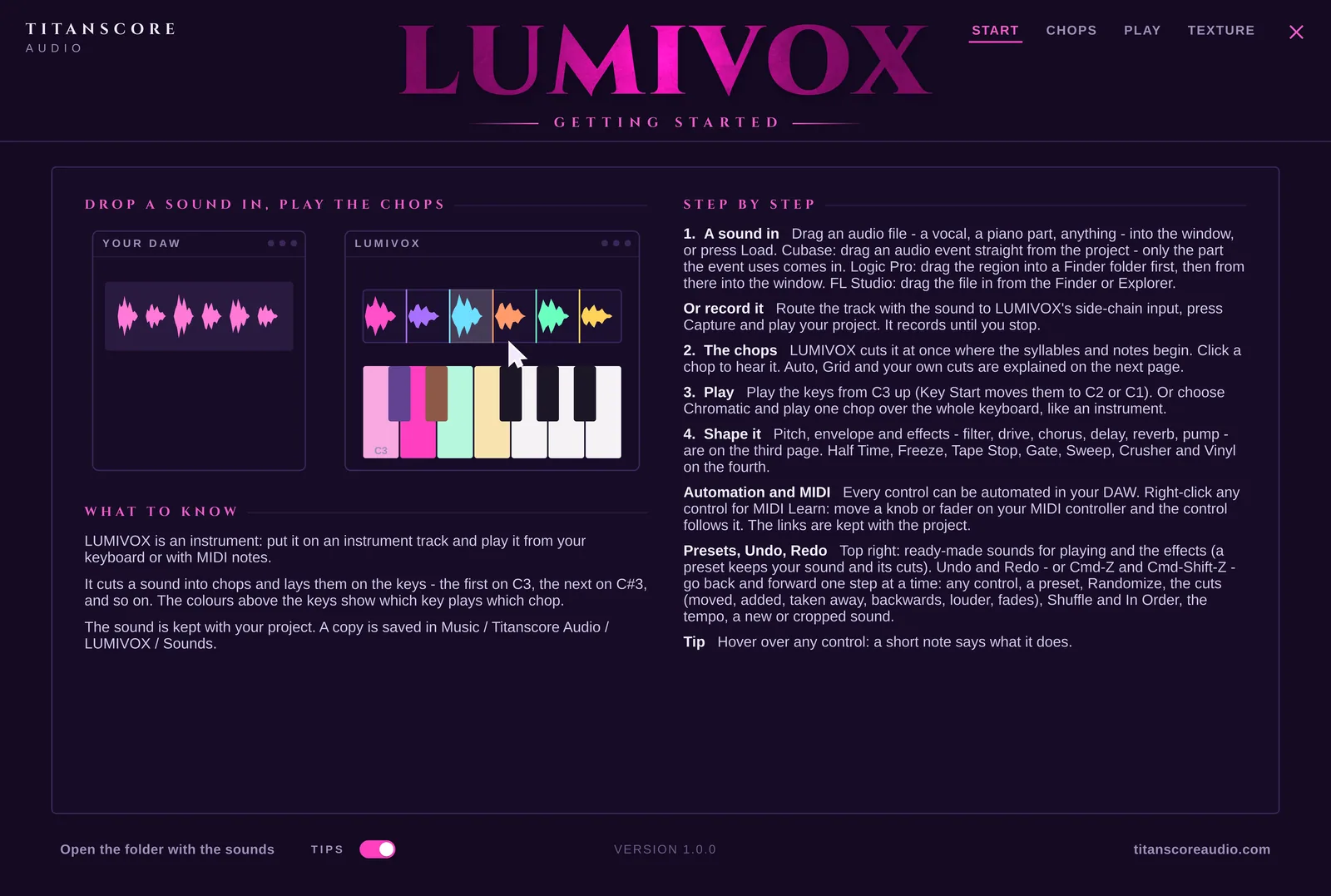
Bring in a sound
Drag an audio file into the window, or press Load. In Cubase, an audio event goes straight from your project into the window, and only the part of it you use comes in. Or record the sound with Capture through the side-chain input while your project plays.
Let it cut, or cut it yourself
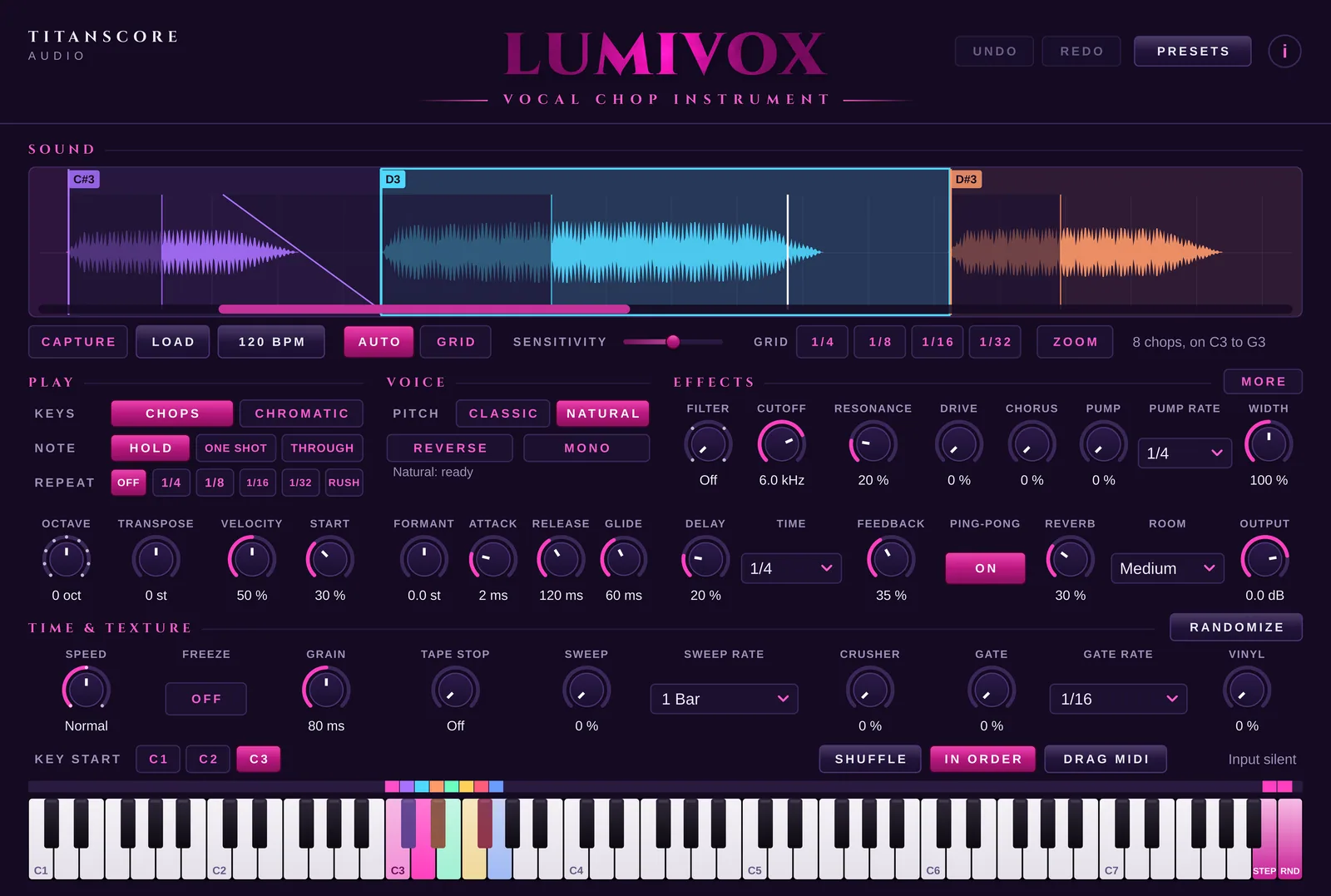
Auto cuts where a syllable, a note or a hit begins and leaves quiet passages alone; Sensitivity decides how many chops you get. Grid cuts every 1/4 to 1/32 in the tempo of the sound, made for loops. Drag a cut to move it, double-click to add one, and right-click a chop to play it backwards, change its level, fade it or cut it in two.
Play the keys
Every key from C3 up plays a chop of its own, and the colours above the keys show which. Hold, One Shot or Through, where a held key plays on into the next chops. Repeat stutters a chop in time, Rush makes it faster and faster. Or switch to Chromatic and play one chop over the whole keyboard.
Shape the sound
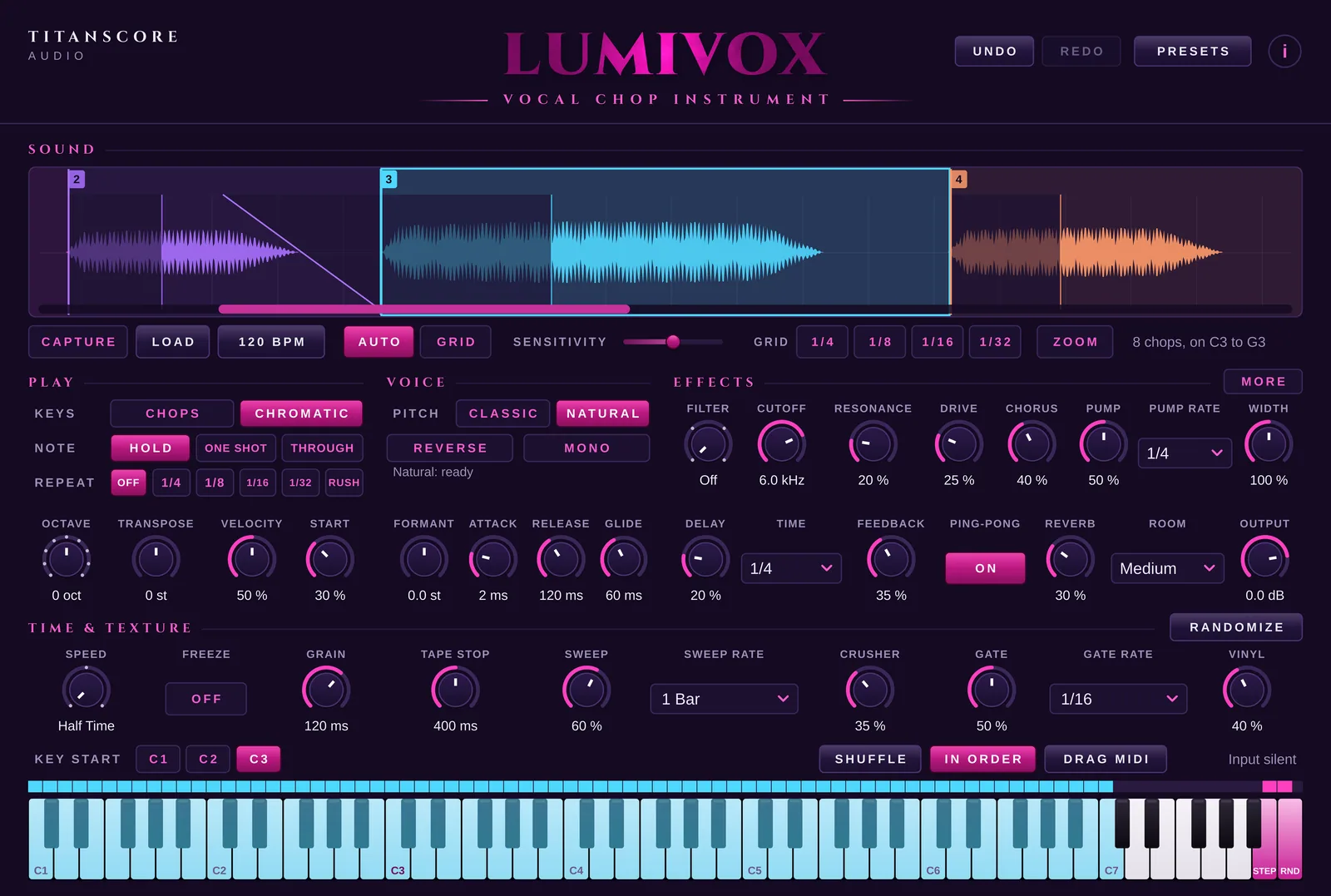
Filter, drive, chorus, pump, delay and reverb, then Time & Texture: Half Time or Double Time with the pitch kept, Freeze for a soft, endless surface, Tape Stop, Sweep, Crusher, Gate and Vinyl. Randomize rolls a new sound from the same chops, and Undo takes it back.
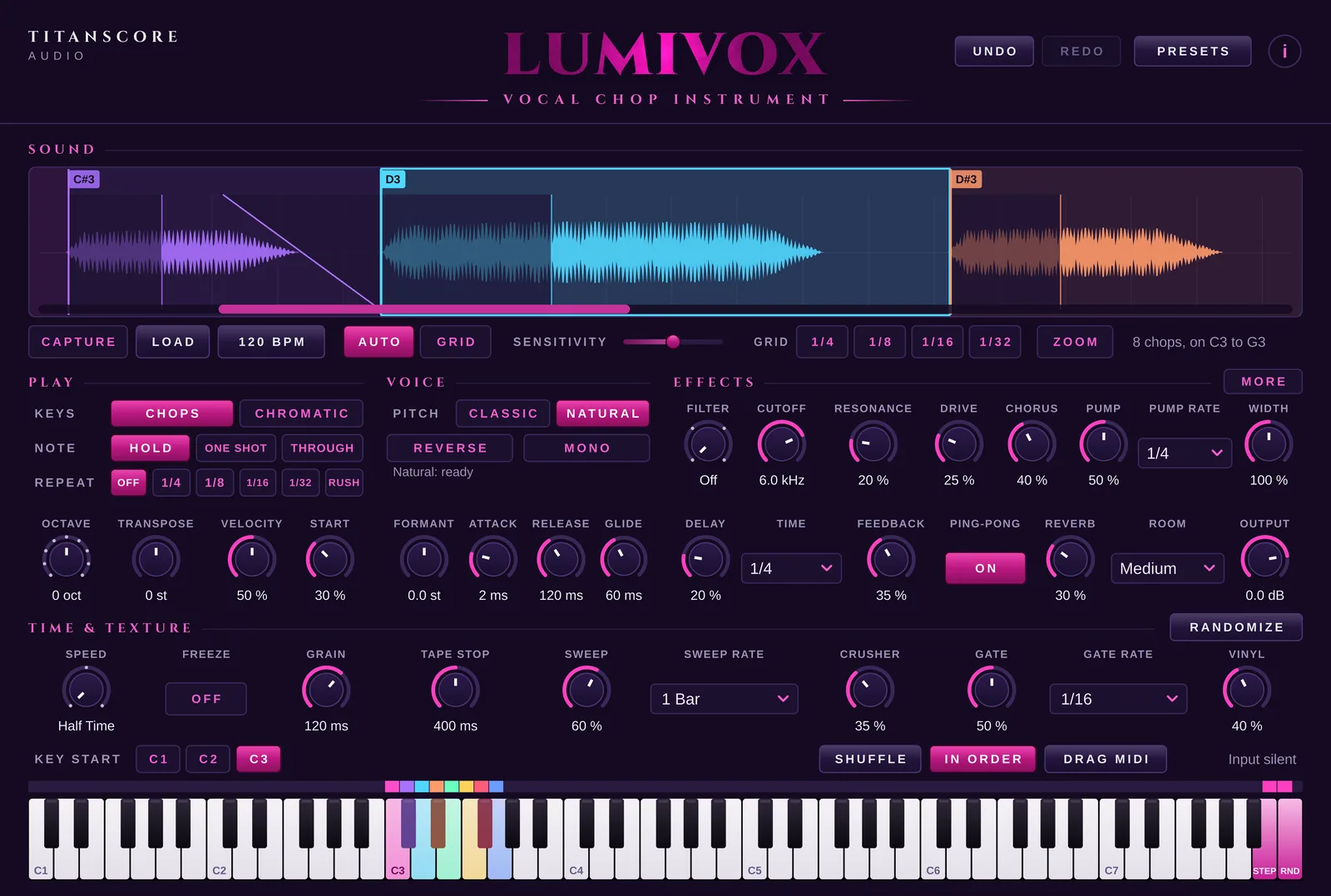
Into your song
Play it from your keyboard or with MIDI notes in your DAW, like any instrument. Drag MIDI puts the keys onto your instrument track in the rhythm of the sound: in order, it plays the sound back; after Shuffle, a new mix in the same rhythm.
Inside the plugin
Play it
One sound, a whole keyboard of it.
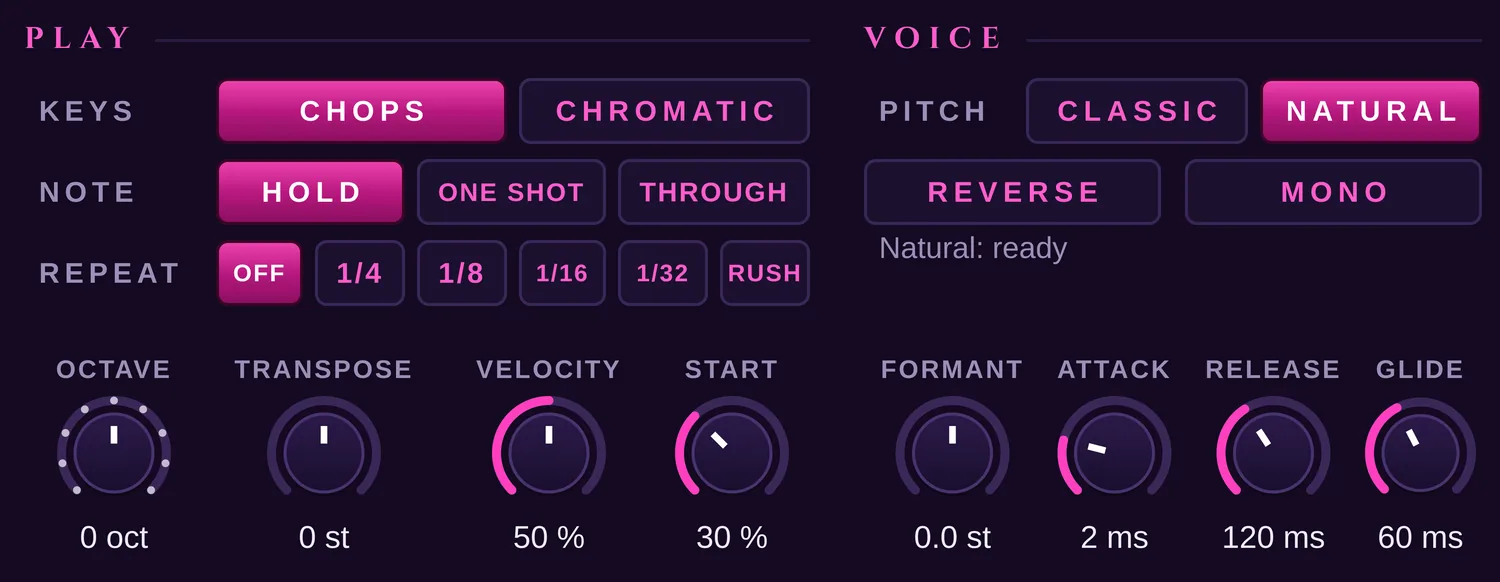
Every key its own chop, or one chop over all the keys. Hold sounds while the key is down, One Shot always plays to the end, Through plays on into the next chops. Natural keeps the character of a voice at every pitch, Classic gives it that higher, faster chop sound. Step and Random sit right after the chops: one plays the next chop each time you press it, the other one by chance, never the same twice in a row.
Chops · Chromatic
Hold · One Shot · Through
Off · 1/4 · 1/8 · 1/16 · 1/32 · Rush
Classic · Natural
Play it like an instrument
Octave, Transpose, Velocity and Start under the keys, Formant, Attack, Release and Glide under the voice. Mono plays one note at a time; in Chromatic, keys played connected slide into each other. Key Start moves everything to C2 or C1, so all the chops fit on a smaller keyboard.

Effects
From a clean chop to something new.
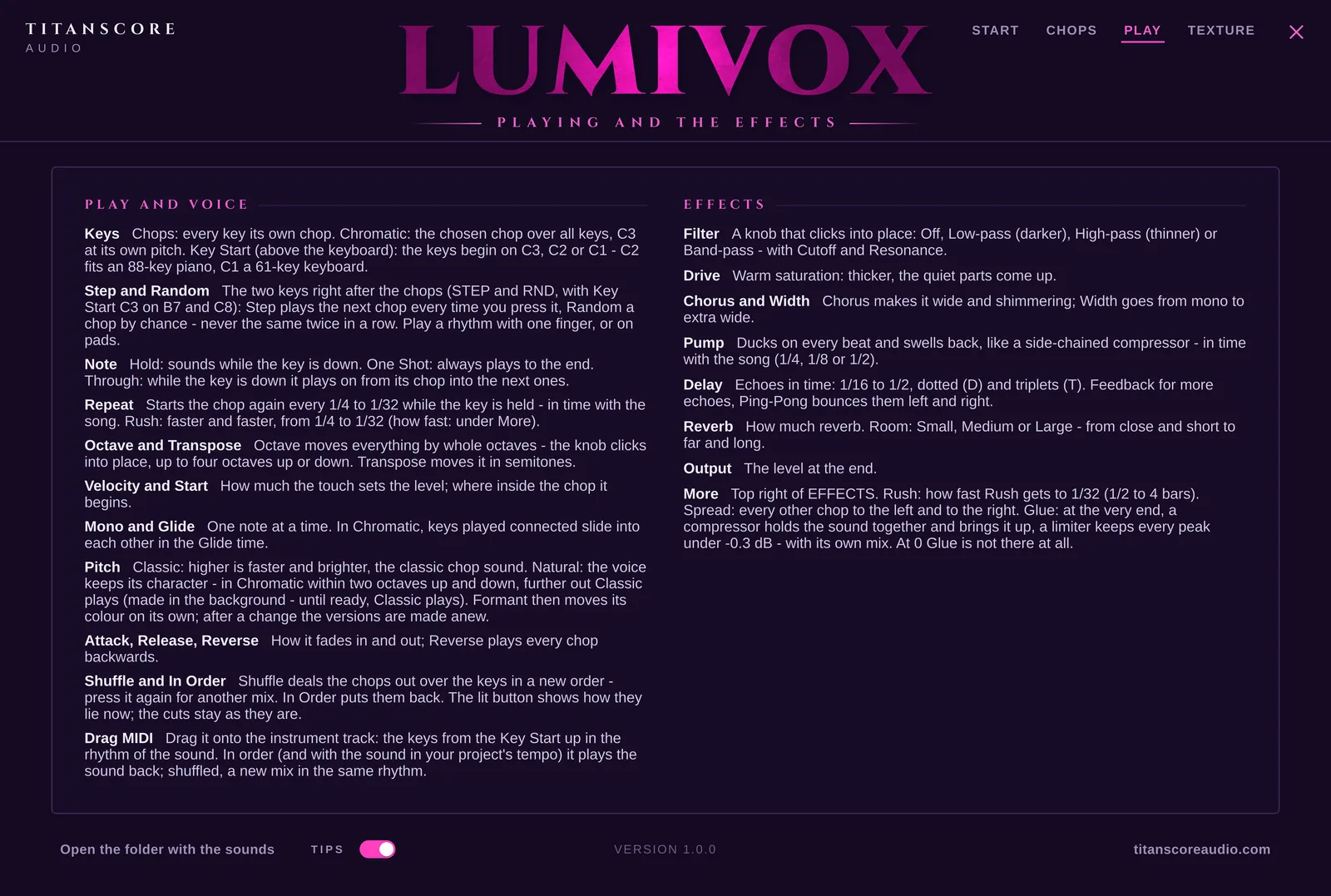
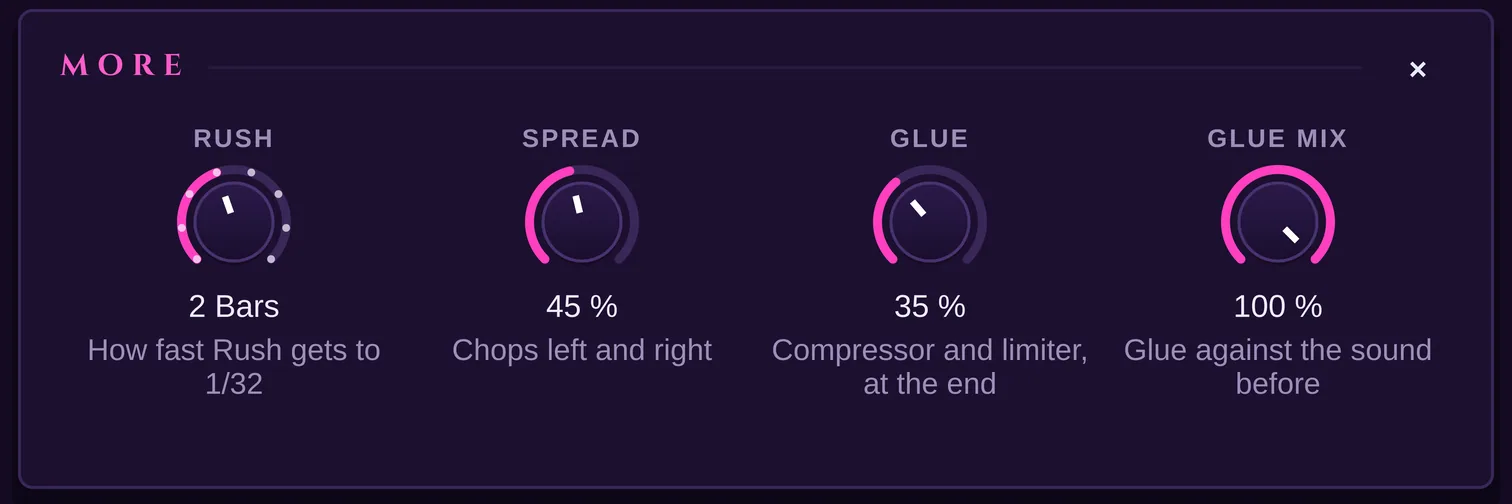
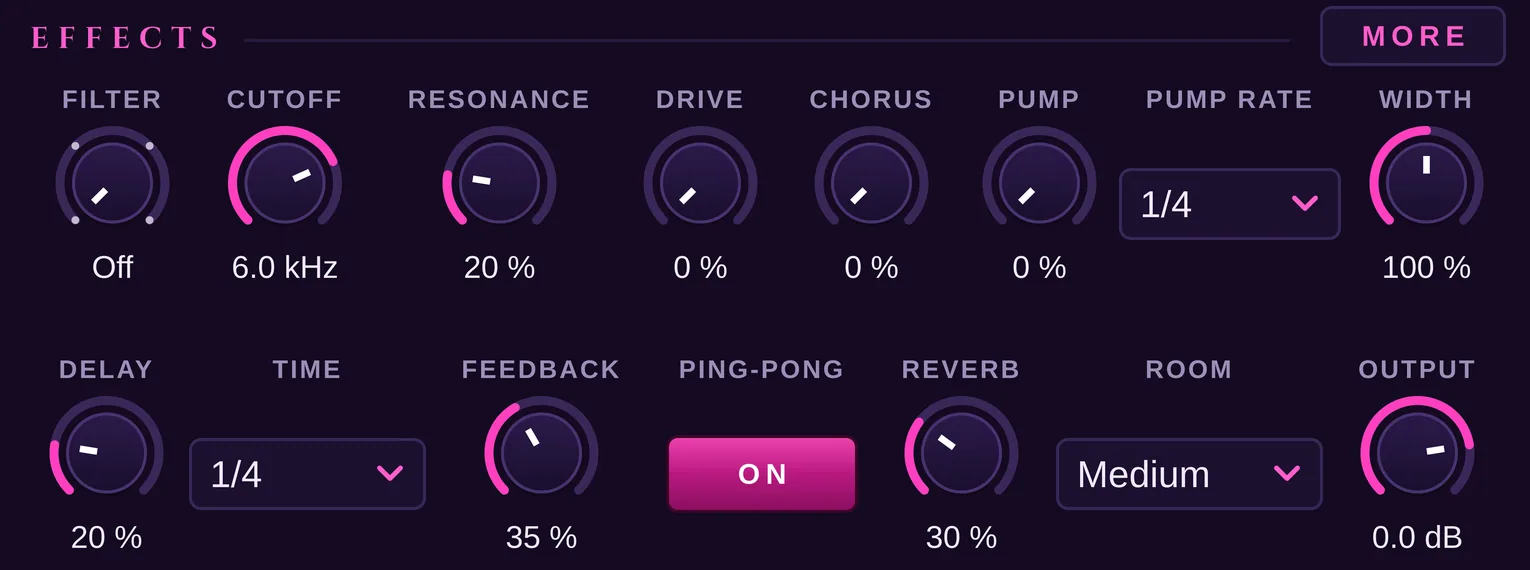
Filter, drive, chorus and width, a pump that ducks on every beat, a delay in time with your song and a reverb from a small room to a large one. Behind More: Rush, Spread, which sends every other chop left and right, and Glue, which holds everything together at the very end and keeps every peak under -0.3 dB.
Time and Texture
Half Time or Double Time with the pitch kept, Freeze for a soft, endless surface, Tape Stop when you let go of a key, a filter Sweep in time, Crusher, Gate and the soft crackle of Vinyl.

Presets
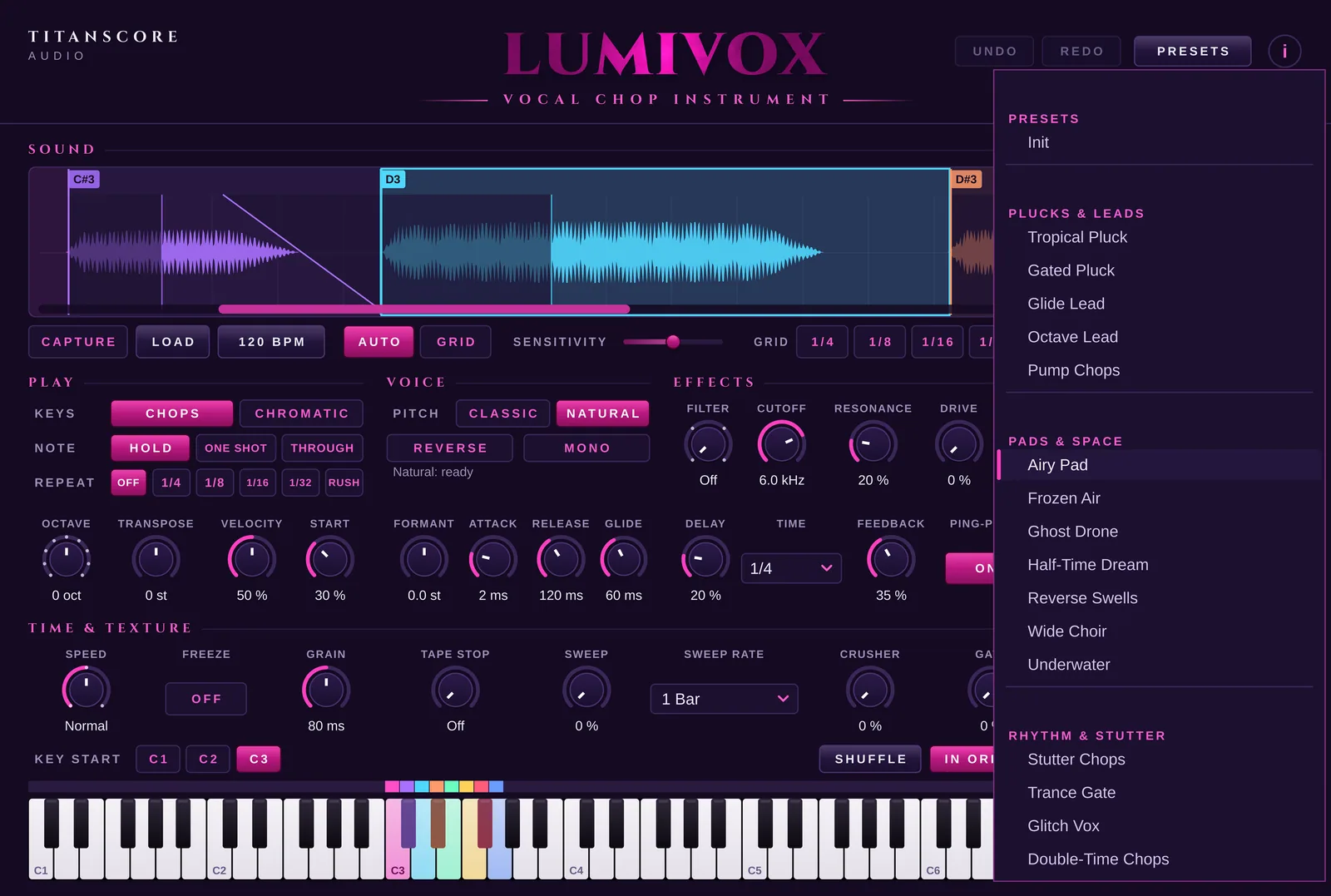
Twenty-four sounds to start from
Tropical Pluck, Airy Pad, Trance Gate, Vinyl Memories and twenty more, in four groups: Plucks & Leads, Pads & Space, Rhythm & Stutter and Lo-Fi & Texture. A preset keeps your sound and its cuts and changes only how they are played and shaped. Looking for something new? Randomize rolls a fresh sound from the same chops, and Undo takes it back.
Made for: Pop and dance hooks, tropical house, lo-fi beats, film and trailer textures, and every track where a voice should become a melody.
Built-in guide
Every control explained, right in the plugin
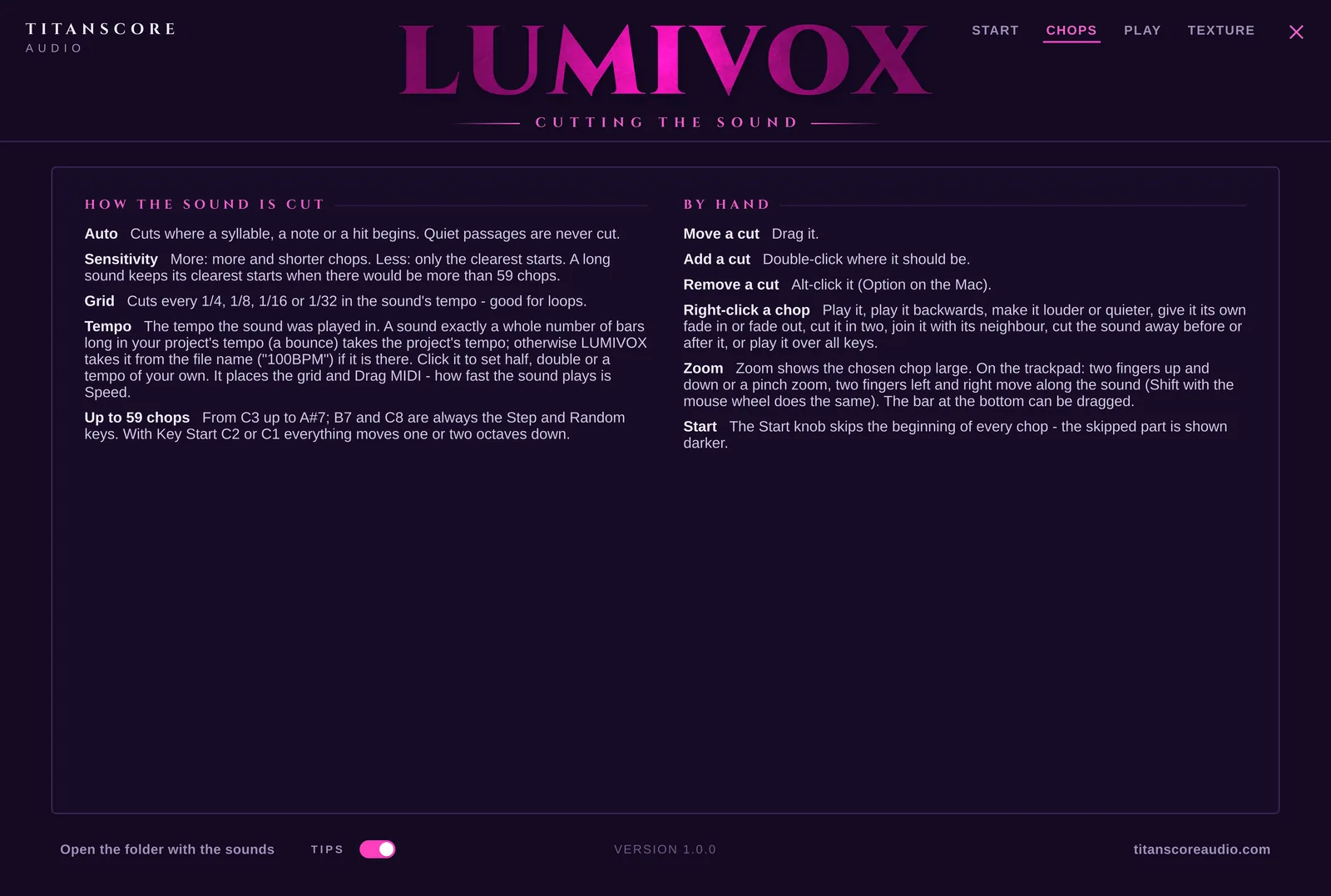
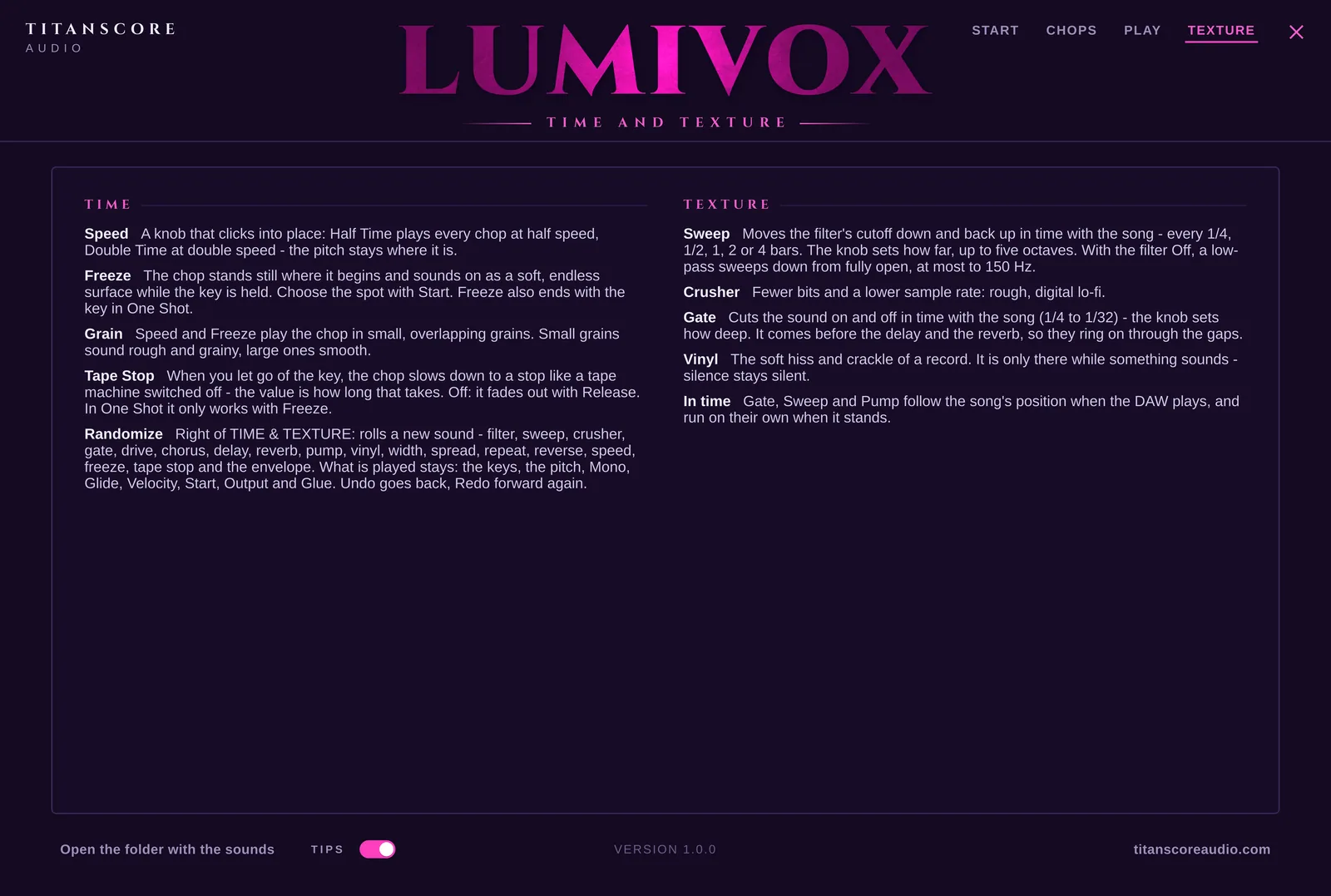
Press the i at the top right and four pages open: Start, Chops, Play and Texture.
Chops
How the sound is cut, and how to cut it yourself.
Play
The keys, the voice and every effect.
Texture
Time and texture, from Half Time to Vinyl.
Everything in it
Everything in it
What Lumivox can do
Any sound
A vocal, a piano part, a synth line, a choir: whatever you bring is cut into chops.
Drag and drop
Drag an audio file into the window. In Cubase, an audio event goes straight from your project into Lumivox.
Capture
Send a track to the side-chain input, press Capture, play your project, and the sound is in.
Auto
Cuts where a syllable, a note or a hit begins. Quiet passages are never cut.
Sensitivity
More, shorter chops, or only the clearest starts.
Grid
Cuts every 1/4, 1/8, 1/16 or 1/32 in the tempo of the sound. Made for loops.
Cut by hand
Move a cut, add one with a double-click, remove one. Right-click a chop to reverse it, change its level, fade it or cut it in two.
Zoom
Shows the chosen chop large, so you can place a cut exactly.
Up to 59 chops
From C3 up to A#7, each on a key of its own, with the colours above the keys.
Step and Random
Two keys right after the chops: the next chop with every press, or one by chance.
Chromatic
One chop over the whole keyboard, played like an instrument.
Hold, One Shot, Through
Sound while the key is down, always to the end, or on into the next chops.
Repeat and Rush
The chop starts again every 1/4 to 1/32 while the key is held, in time. Rush makes it faster and faster.
Natural pitch
The voice keeps its character when you play it higher or lower. Classic gives the brighter chop sound.
Effects
Filter, drive, chorus, width, pump, delay with ping-pong, and reverb in three rooms.
More
Spread sends every other chop left and right, Glue holds the sound together at the very end.
Time and Texture
Half Time, Double Time, Freeze, Tape Stop, Sweep, Crusher, Gate and Vinyl.
In time
Repeat, Gate, Sweep, Pump and Delay follow the tempo of your song.
Shuffle
Deals the chops out over the keys in a new order. In Order puts them back.
Drag MIDI
The keys in the rhythm of the sound, onto your instrument track.
Presets
Twenty-four sounds in four groups. A preset keeps your sound and its cuts.
Randomize
A new sound from the same chops, with one click.
Undo and Redo
Up to 100 steps back and forward: every control, a preset, Randomize, the cuts, Shuffle.
Automation and MIDI Learn
Every control can be automated in your DAW or moved with a knob on your MIDI controller.
Built-in guide
Four pages inside the plugin explain every control, and how the sound gets in from Cubase, FL Studio and Logic Pro. Short tips appear when you hover over a control, and can be switched off.
Signed and notarised
The installers are signed by TUNES OF FANTASY GmbH, the company behind Titanscore Audio: notarised by Apple on the Mac, signed with a verified certificate on Windows.
Specification
Technical details
- Formats
- VST3 (Mac and Windows), AU (Mac)
- Systems
- macOS 12 or later · Windows 10/11, 64-bit
- DAWs
- Cubase, FL Studio and Logic Pro, and any other DAW that loads VST3 or AU
- Type
- Instrument plugin. Put it on an instrument track and play it from your keyboard or with MIDI notes.
- Sound in
- WAV, AIFF or FLAC by drag and drop or Load, an audio event from your project, or Capture through the side-chain input
- Chops
- Up to 59, on C3 to A#7 · Step on B7, Random on C8 · Key Start C3, C2 or C1 moves them all
- Cutting
- Auto with Sensitivity · Grid 1/4, 1/8, 1/16, 1/32 · by hand, with Zoom
- Play
- Chops or Chromatic · Hold, One Shot or Through · Repeat 1/4 to 1/32, Rush · Shuffle, In Order
- Voice
- Pitch Classic or Natural · Octave, Transpose, Formant · Velocity, Start, Attack, Release · Reverse, Mono, Glide
- Effects
- Filter (low-pass, high-pass, band-pass) with Cutoff and Resonance · Drive, Chorus, Width, Pump · Delay with Feedback and Ping-Pong · Reverb with a small, medium or large room · Output
- More
- Rush time, Spread, Glue and Glue Mix
- Time and Texture
- Speed (Half Time, Normal, Double Time), Freeze, Grain, Tape Stop, Sweep, Crusher, Gate, Vinyl
- Out
- Drag MIDI: the keys in the rhythm of the sound
- Tempo
- Follows your project
- Presets
- 24 in four groups, Randomize, Undo and Redo up to 100 steps
- Control
- Every control can be automated, with MIDI Learn
- Installation
- Signed installers for Mac and Windows
- Licence
- Free. One key for 2 computers, in your Titanscore account. Activate once, then it runs offline.
- Use
- Everything you make with Lumivox may be used in your own productions, commercial ones included
- Plugin name
- Titanscore Lumivox, listed under Titanscore Audio
Is it really free?
Yes. Lumivox costs nothing. You only need a free Titanscore account, where your licence key waits.
Why do I need an account for a free plugin?
Your key lives there, together with the computers it runs on. If you change computers, you release the old one in your account.
Which sounds work best?
A vocal with clear syllables, a piano part, a synth line, a loop. Auto cuts where something begins; for loops, Grid cuts in time.
Does it make sound on its own?
Yes. Lumivox is an instrument: it plays the chops of your sound when you play the keys. Drag MIDI gives you the notes, for the instrument track Lumivox is on.
Where is my sound kept?
With your project, and a copy in Music / Titanscore Audio / LUMIVOX / Sounds, so a project always finds its sound again.
Which DAWs does it work in?
Cubase, FL Studio and Logic Pro, and any other DAW that loads VST3 or AU. The built-in guide shows how the sound gets in for all three.
Can I use what I make in commercial work?
Yes. Everything you make with it is yours to release. The sounds you bring in remain yours, or their owner’s.
On how many computers can I use it?
Two. You can release a computer in your account at any time.
Do I need to be online?
Only once, to activate.
Titanscore Audio
Lumivox
Vocal Chop Instrument
Any sound in. Chops on your keys. Free.
- DeliveryKey in your account, once your email is verified
- FormatVST3 · AU
- SystemsmacOS 12+ · Windows 10/11
- Licence2 computers, offline after activation
- InstallersSigned for Mac and Windows